Networking and Security Scripting with Python


Writing Scripts for Automation

Learning Outcome
5
Create simple automation programs using Python.
4
basic steps involved in writing automation scripts.
3
Use Python libraries for automation tasks.
2
Types of tasks that can be automated using Python.
1
Concept of automation scripts and their importance


Remaining cash
Remaining cash
Number of transactions
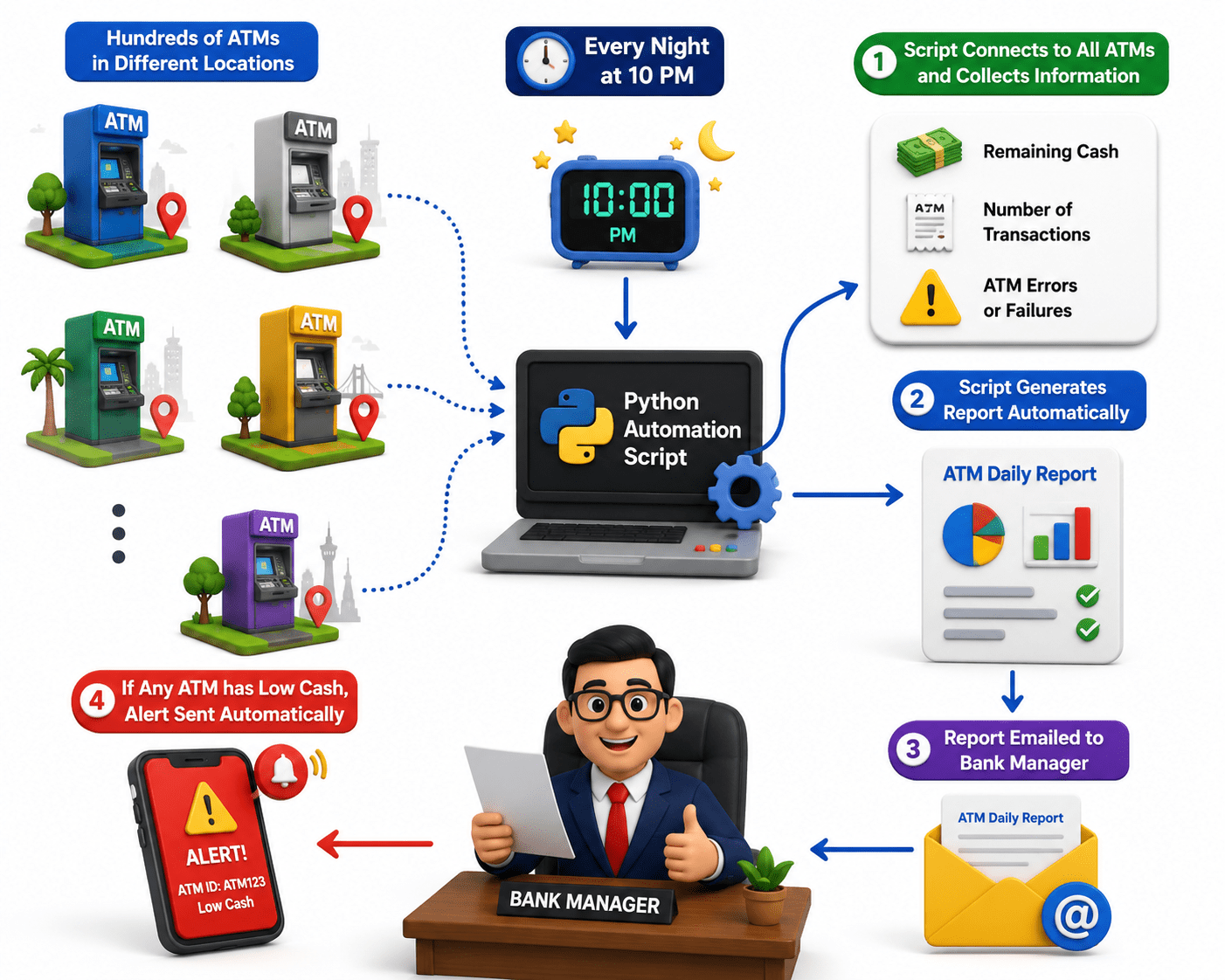
“A bank manager who needs to check the cash balance of all ATM machines every night.”
-
Every night at 10 PM, the automation script starts automatically.
-
The script connects to all ATM systems through the network.
.

1

Script Generates
Report Automatically
ATM Daily Report
2
3
Report Emailed to
Bank Manager
ATM Daily Report


.
.
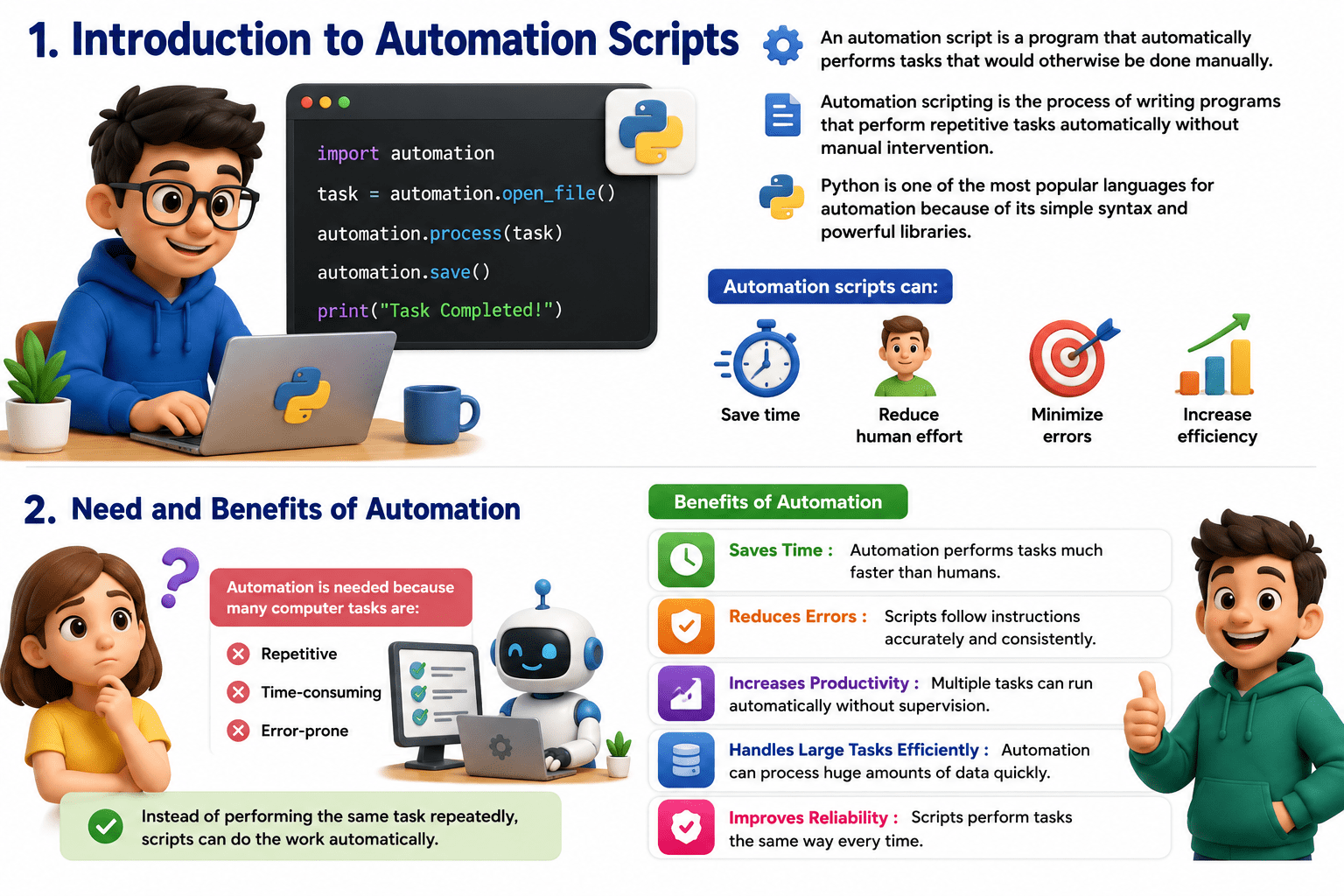
Introduction to Automation Scripts
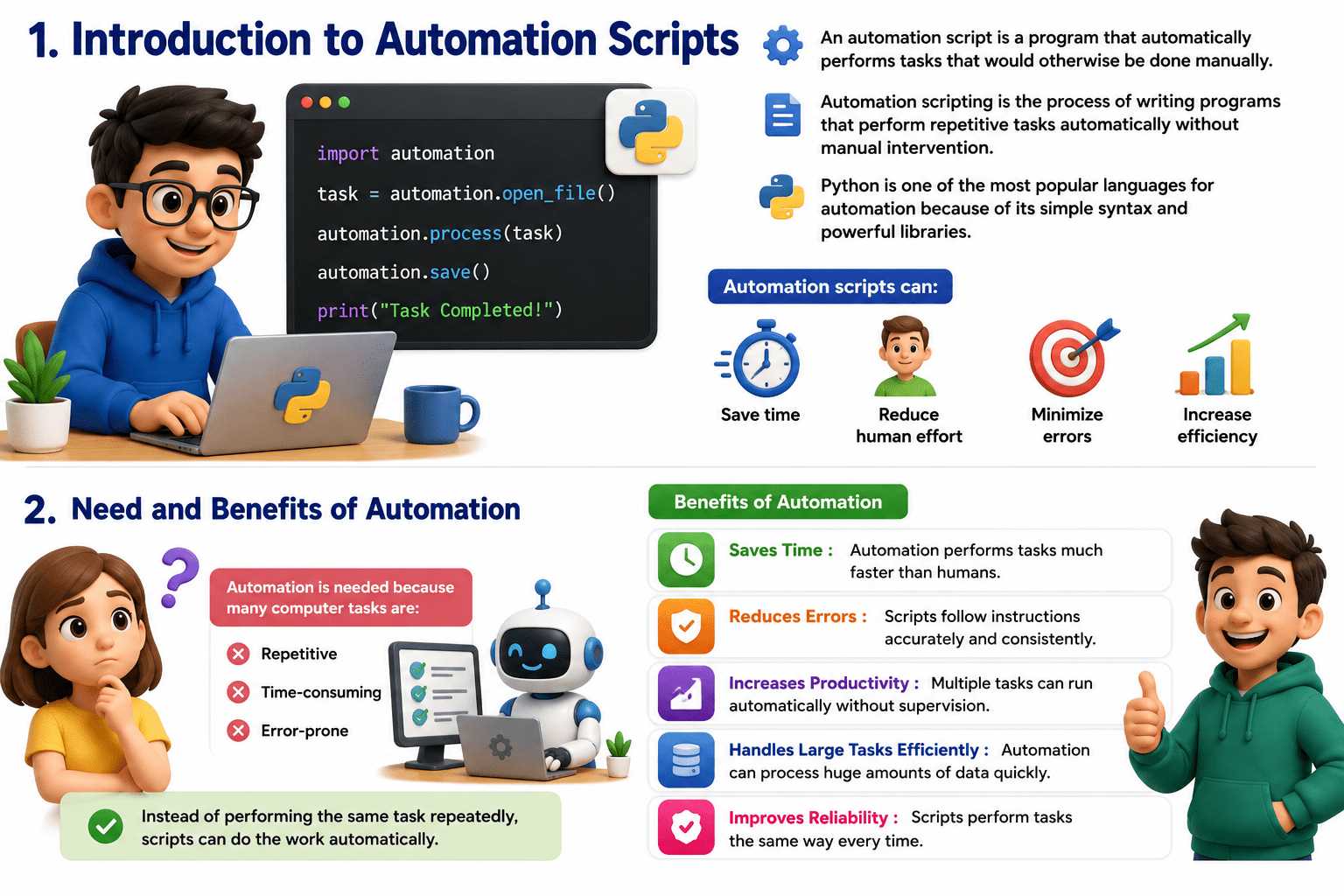
Automation scripts can:
-
Save time
-
Reduce human effort
-
Minimize errors
-
Increase efficiency
- An automation script is a program that automatically performs tasks that would otherwise be done manually.
- Automation scripting is the process of writing programs that perform repetitive tasks automatically without manual intervention.
- Python is one of the most popular languages for automation because of its simple syntax and powerful libraries.



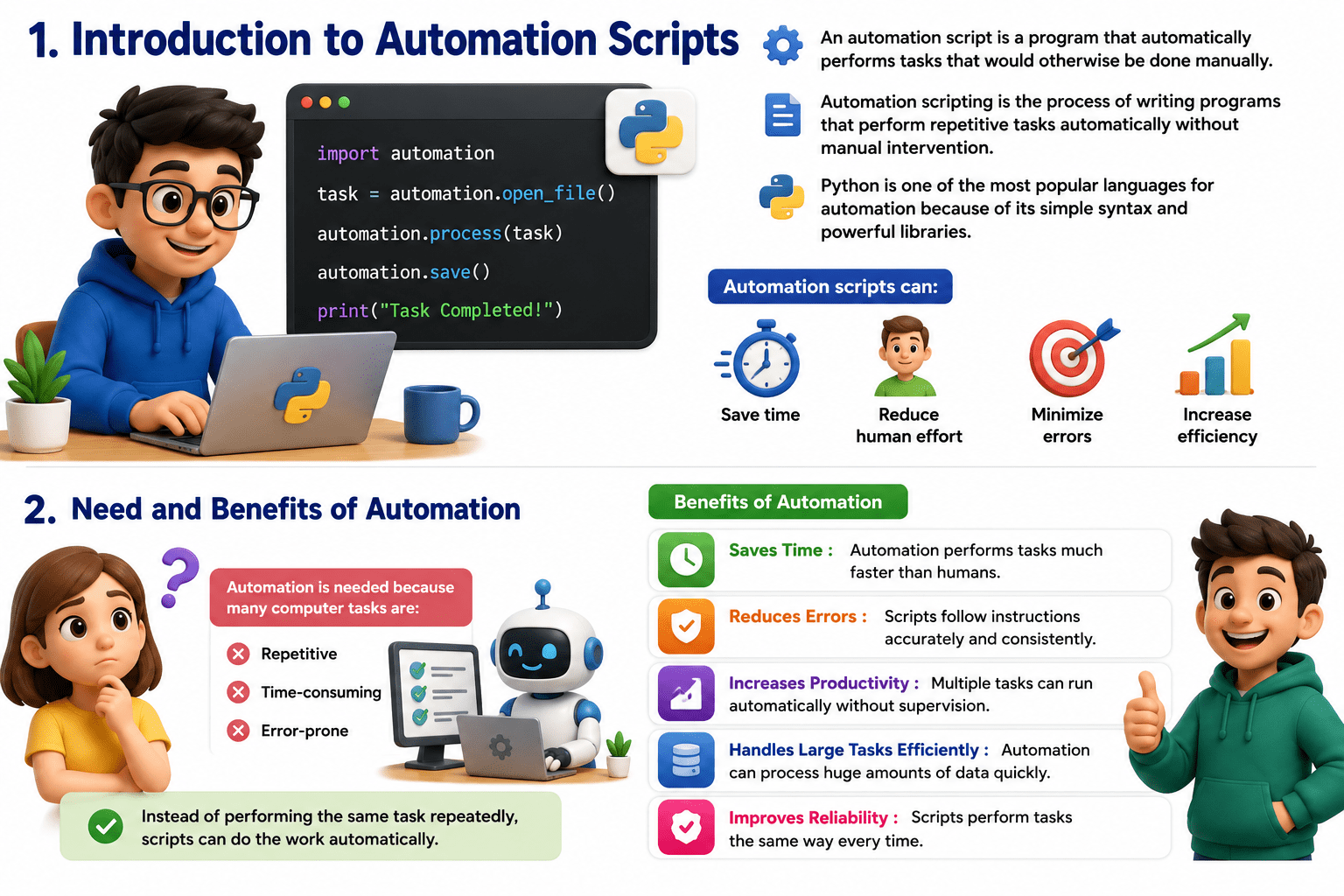
Need and Benefits of Automation
Automation is needed because many computer tasks are:
-
Repetitive
-
Time-consuming
-
Error-prone
1.File Handling Tasks
Automatically organizing downloaded files into folders.

Moving files
Renaming files
Creating files
Types of Tasks that can be Automated
Deleting files
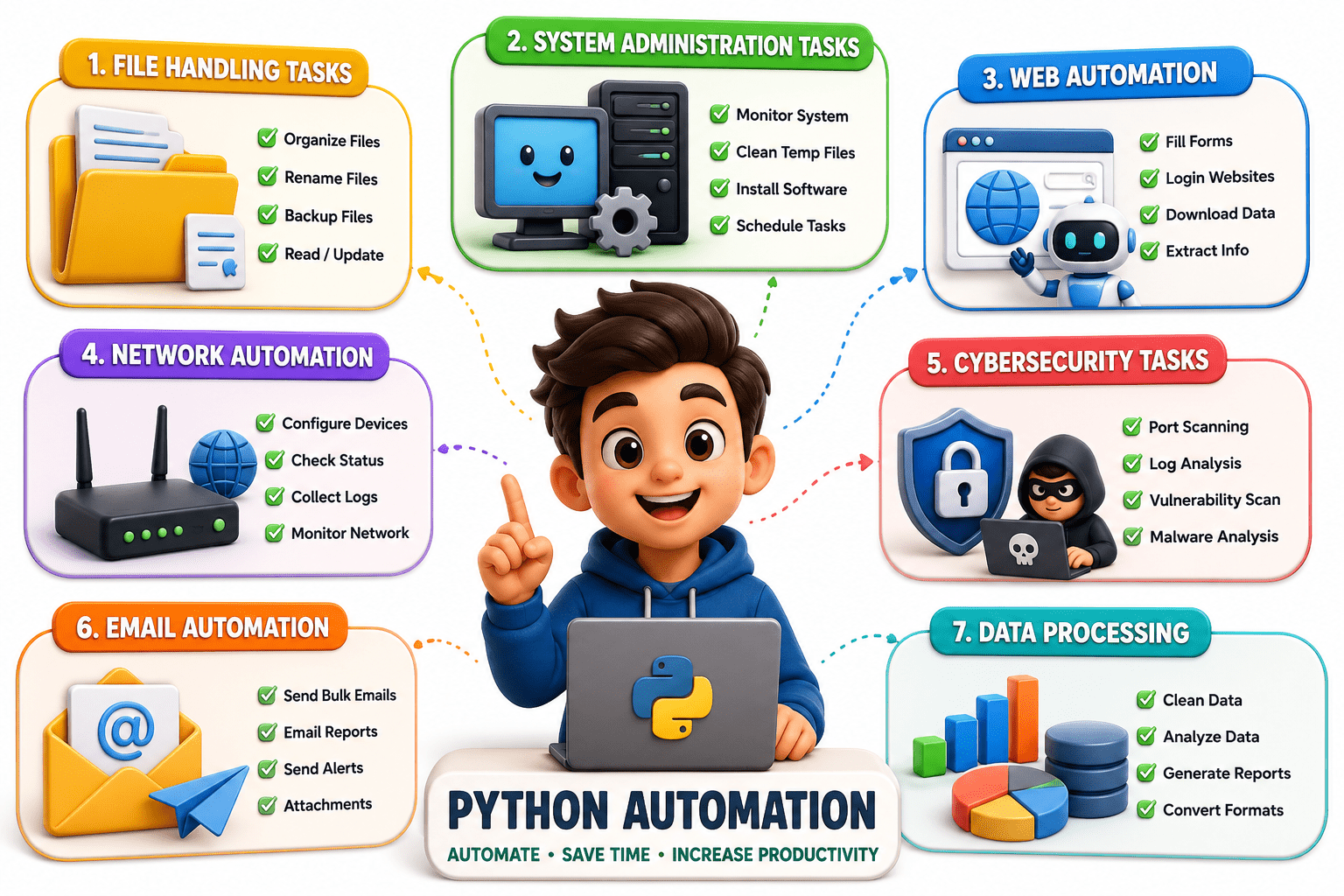
2. System Administration Tasks
A script checks CPU and memory usage every hour and saves the report.
User management
System monitoring
Process management
Backup creation
3. Web Automation
Using Python and Selenium to automatically log in to a website.
User management
Data scraping
Backup creation
4. Network Automation
Automatically pinging multiple servers to check connectivity.
Scanning networks
Monitoring devices
Checking server status
6. Email Automation
Automatically sending exam result notifications to students.
Sending automatic emails
Notifications and alerts
Generating reports
7. Data Processing
Reading sales data from Excel and generating summary reports
Data cleaning
Excel automation
Report generation
Common Python Libraries used for Automation
|
Purpose |
Library
Operating system tasks
|
os |
File operations
shutil
|
Running system commands |
|
subprocess |
|
Sending HTTP requests |
requests
|
Browser automation |
selenium
|
Task scheduling |
|
schedule |
|
Data processing |
pandas








import os
for i in range(1, 6):
   folder_name = f"Folder_{i}"
   os.mkdir(folder_name)
print("Folders created successfully")
Example of Importing Libraries
Mouse and keyboard automation
pyautogui
Network communication
socket


Determine which repetitive task needs automation.
Example:- Automatically
renaming files.
2.Identify the Task
Create the Python program to perform the task.
4.Write the Script
3.Choose Required Libraries
Select suitable Python libraries.
Task Scheduler (Windows)
Cron Jobs (Linux)
6.Automate Execution
5.Test the Script
Check whether the script works correctly.
Basic Steps in Writing an Automation Script
1.Analyze the Process
Inputs
Outputs
Required actions






import os
for i in range(1, 6):
   folder_name = f"Folder_{i}"
   os.mkdir(folder_name)
print("Folders created successfully")
Explanation
-
os.mkdir() creates folders
-
Loop creates multiple folders automatically
Example of a Simple Automation Script
Cybersecurity
-
Log monitoring
-
Malware analysis
-
Network scanning
1

Web Development
-
Website testing
-
Deployment automation
2
Data Science
-
Data collection
-
Data cleaning
3
Applications of Automation Scripts
System Administration
-
Server maintenance
-
Backup automation
4
Business Operations
-
Report generation
-
Email notifications
5
Cloud Computing
-
Infrastructure management
-
Cloud monitoring
6
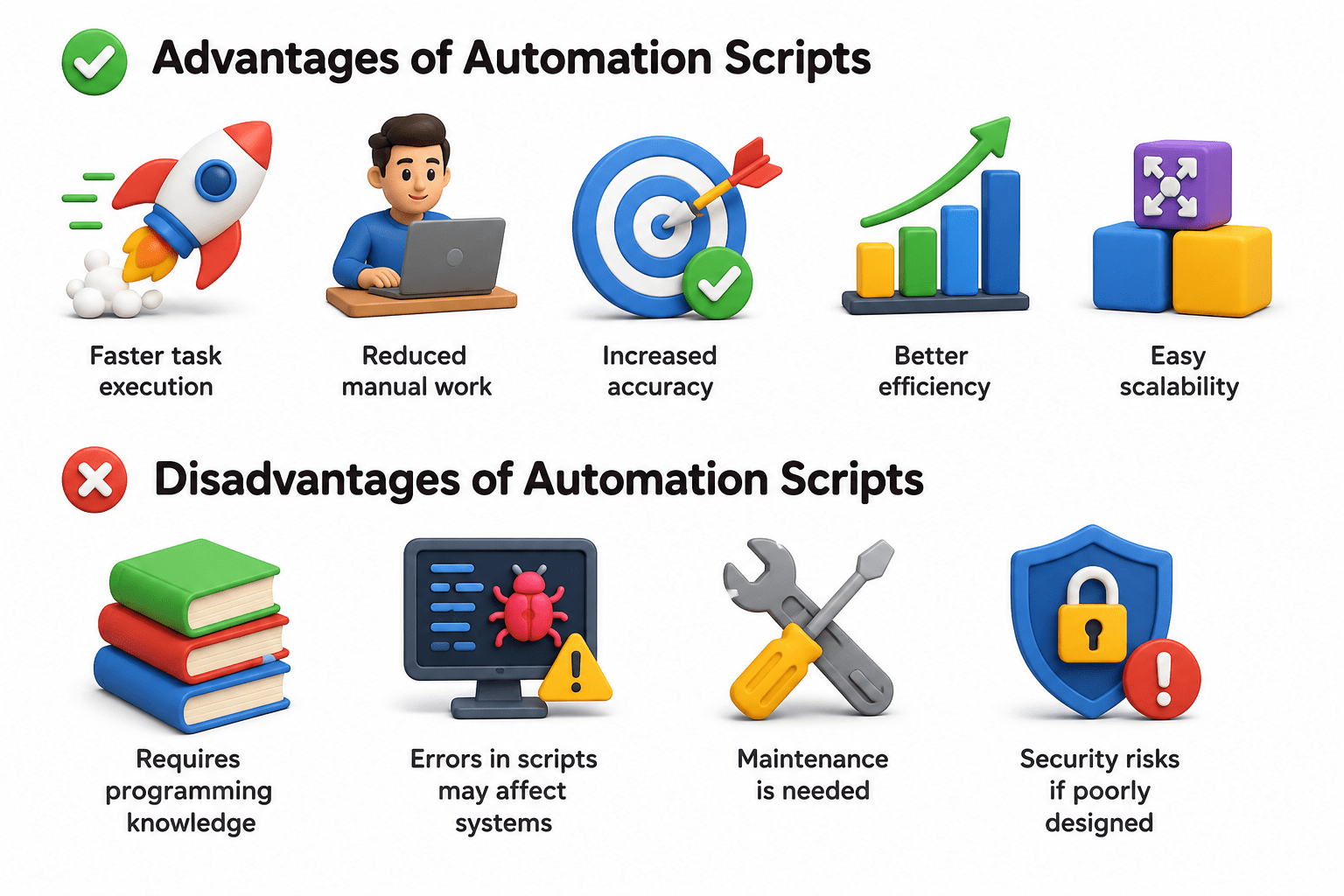
Advantages of Automation Scripts
Increased accuracy
Faster task execution
Better efficiency
Easy scalability
Reduced manual work
Disadvantages of Automation Scripts
Requires programming knowledge
Errors in scripts may affect systems
Maintenance is needed
Security risks if poorly designed
Summary
5
Automation improves productivity, efficiency, and accuracy.
4
Automation is used in cybersecurity, networking
3
Libraries like os, selenium, and pandas help automate tasks.
2
Automation saves time and reduces human effort.
1
Automation scripts perform repetitive tasks automatically.
Quiz
Which field commonly uses automation scripts for vulnerability scanning?
A. Cooking
B. Cybersecurity
C. Painting
D. Farming

Quiz
Which field commonly uses automation scripts for vulnerability scanning?
A. Cooking
B. Cybersecurity
C. Painting
D. Farming
