








Content ITV PRO
This is Itvedant Content department
Learning Outcome
5
Build accessible and readable tables.
4
Apply colspan and rowspan attributes.
3
Organize table data effectively.
2
Create structured tables using HTML.
1
Identify essential HTML table elements.
To display data in rows and columns
To organize and compare related information clearly
To present structured data such as marksheets, timetables, and reports
The <table> tag is an HTML element used to create tables on a webpage.
It serves as the main container for organizing and displaying tabular data
<tbody> : The <tbody> tag is used to define the main body content of a table.
<thead> : The <thead> tag is used to group the header row(s) of a table.
<th> : The <th> tag is used to create a header cell in a table.
<tr> : The <tr> tag is used to create a row in a table.
<td> : The <td> tag is used to store actual data inside a table cell.
<tfoot> : The <tfoot> tag is used to define the footer section of a table.
The colspan attribute is used to make a table cell span across multiple columns.
Syntax : <th colspan="number">Content</th>
The rowspan attribute is used to merge multiple rows into a single table cell.
Syntax : <td rowspan="number">Content</td>
Syntax : <th colspan="number">Content</th>
<!DOCTYPE html>
<html>
<body>

<table border="1">

    <tr>
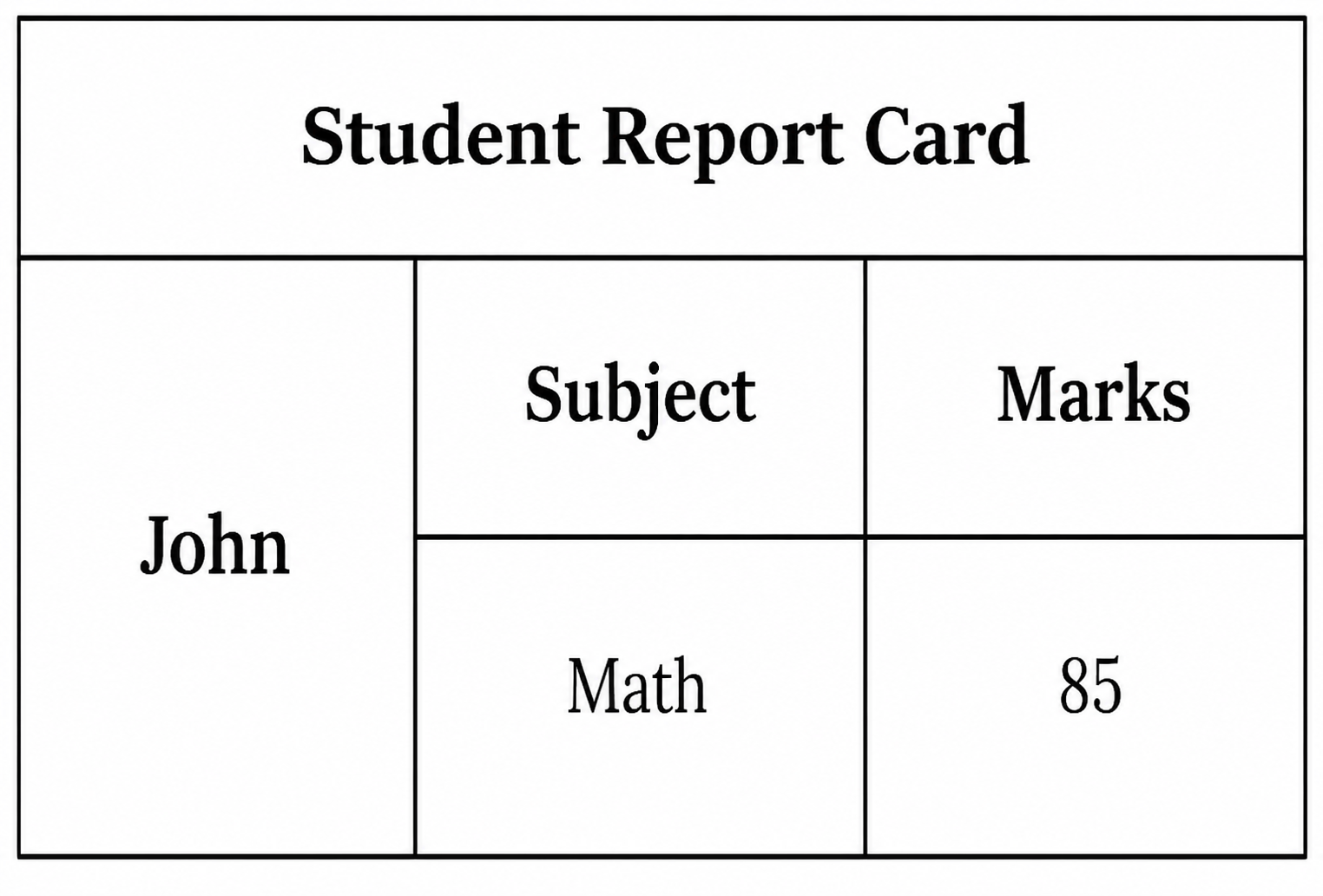
        <th colspan="3">Student Report Card</th>
    </tr>

    <tr>
        <th rowspan="2">John</th>
        <th>Subject</th>
        <th>Marks</th>
    </tr>

    <tr>
        <td>Math</td>
        <td>85</td>
    </tr>

</table>

</body>
</html>Table accessibility refers to designing HTML tables in a way that makes them easy to understand and navigate for all users, especially those using assistive technologies such as screen readers.
Table headings
Rows and columns
Relationships between data cells
This helps visually impaired users understand the information correctly.
Summary
5
Accessibility improves table usability and readability.
4
Colspan and rowspan merge table cells.
3
Headers, body, and footer improve structure.
2
Table elements organize structured information.
1
Tables display data in rows and columns.
Quiz
What does <tr> stand for?
A. Table Record
B. Table Row
C. Table Result
D. Table Relation
What does <tr> stand for?
A. Table Record
B. Table Row
C. Table Result
D. Table Relation
Quiz-Answer
By Content ITV