


















Content ITV PRO
This is Itvedant Content department
Learning Outcome
6
Combine different targeting types for better result
5
Understand remarketing and how to re-target users
4
Improve ad performance by targeting the right users
3
Decide which audience to use based on business goals
2
Identify different audience types
1
Understand what Audience Targeting is and why it is important
Right People, Right Moment
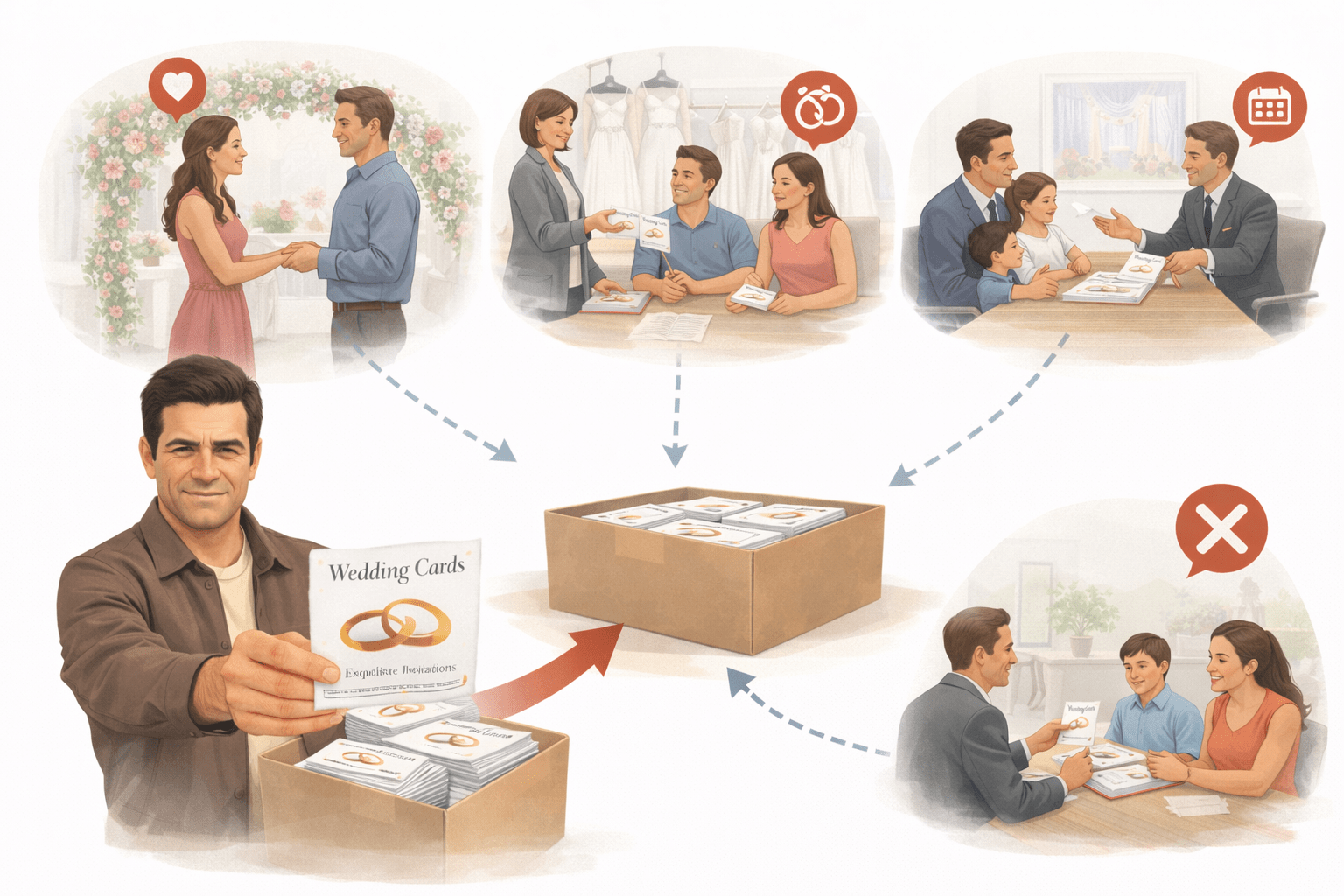
Bhavesh owned a wedding card business
Every year, he printed
5000 flyers and distributed them randomly
Result? Hardly 10 calls
Most people didn’t need wedding cards -
Students
Elderly
Married people
Right People, Right Moment
Then his son Mihir changed the approach
Instead of everyone, he focused only on the right people at the right time:
Result?
Just 800 targeted people → 87 confirmed orders.
People at engagement venues
Visitors at bridal shops
Families booking wedding halls
Same budget, same product —
only the audience changed
From Random Reach to Smart Results
Now imagine the same idea in digital ad
What is Audience Targeting in Google Display Ads?
Audience targeting means choosing who should see your ads based on:
Interests
Behavior
Intent
What is Audience Targeting in Google Display Ads?
Random People
Show Your Ad to the Right People !
Example:
Target : Fitness Enthusiast
Overview of all Audience Targeting types in Google Display Ads:
Demographic Targeting
Based on age, gender, income
Example:
Gym ad should be shown to fitness interested people, not everyone
Affinity Audiences
People with long-term interests
Example:
Travel lovers & Food lovers
In-Market Audiences
People actively researching products
Example:
Searching “best mobile under 20k”
Overview of all Audience Targeting types in Google Display Ads:
Custom Segments
You create your own audience
Example:Users searching “digital marketing course”
Life Events
People going through important life changes
Example: Furniture brand targeting users who recently moved in new Flats
Customer Match
Target your existing users using their data
Example:Netflix promoting a new plan to existing users
Overview of all Audience Targeting types in Google Display Ads:
Similar Segments
Target new users similar to your existing customers
Example: If your buyers are gym lovers → target similar fitness audience
Remarketing Audiences
Target users who already interacted
Example: Visited website but didn’t buy
Placement Targeting
Choose specific websites/apps
Example:Coding ad on tech blogs
Targeting vs Observation — Key Difference
Example: Ads show to everyone, but you check how “MBA interested users” are performing
Easy Way to Remember
Targeting = Control who sees ads
Observation = Learn who performs better
Example:
Only showing ads to users searching for “MBA courses”
You restrict your ads only to a selected group of people
Summary
5
Targeting vs Observation should be used smartly
4
Remarketing helps convert interested users
3
In-Market = ready buyers, Affinity = interest-based users
2
Different audience types serve different goals
1
Audience targeting helps show ads to the right people
6
Combining targeting improves performance
Quiz
Vikram wants to target users who searched specific keywords and visited competitor sites. Which targeting should he use?
A. Affinity
B. In-Market
C. Life Events
D. Custom Segments
Quiz
Vikram wants to target users who searched specific keywords and visited competitor sites. Which targeting should he use?
A. Affinity
B. In-Market
C. Life Events
D. Custom Segments
By Content ITV