Perform Alert Tuning and Minimize False Positives in SOC

Business Scenario
Welcome!
You are a SOC Analyst at CyberSecure Solutions. The SOC is receiving a large number of alerts, but many are caused by normal user or system activity.
Your task is to analyze alerts, identify false positives, tune detection rules, and verify that important security alerts are still detected.


Pre-Lab Preparation
Topic : Incident Response and Investigation
1) Introduction to SIEM tools such as Splunk and Wazuh
2) Alert triaging and investigation process
3) Threat detection techniques
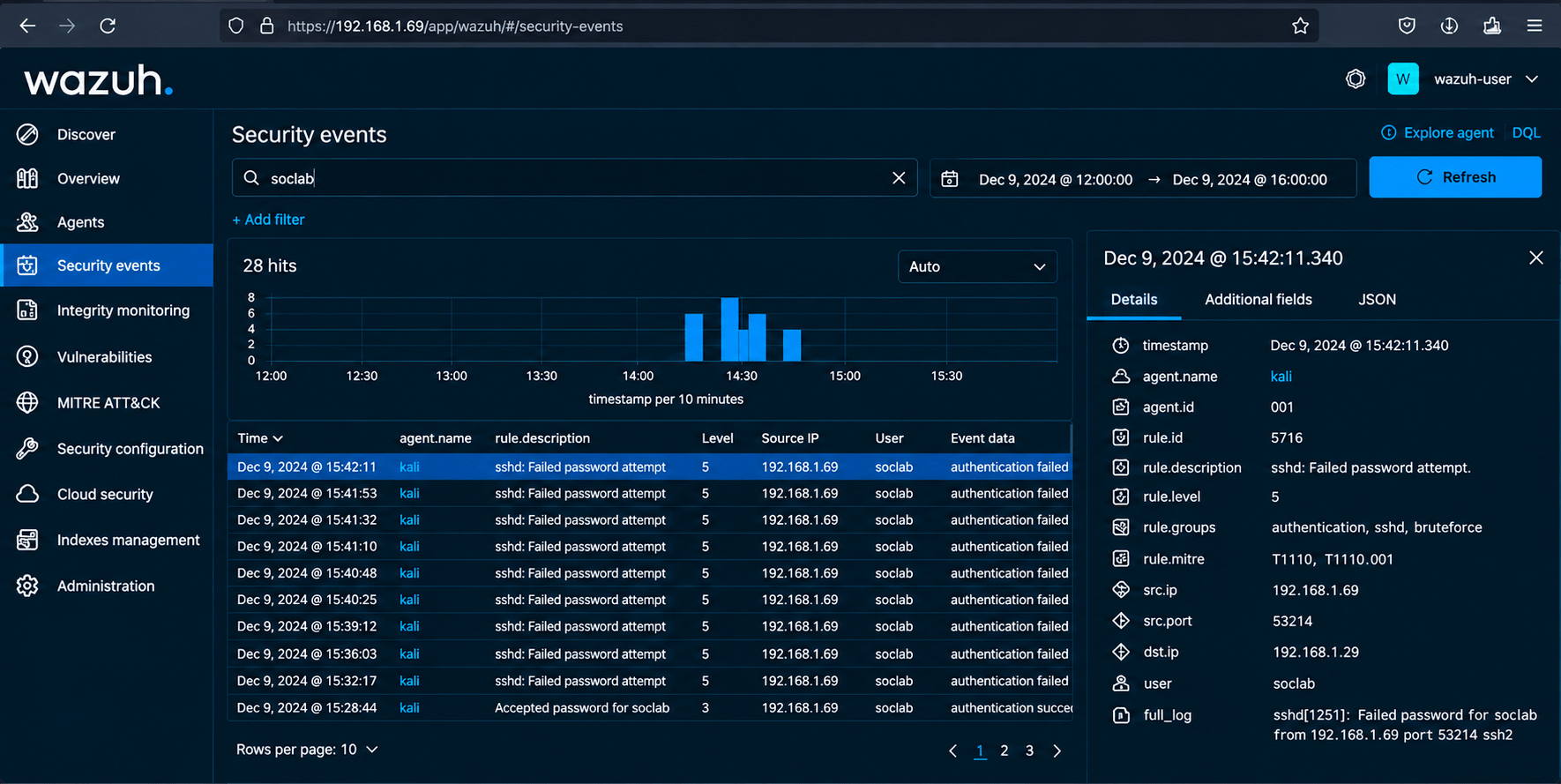
Task 1: Review SOC Alerts
Understand why alerts are being generated.
1
Steps
a
-
Open the SIEM dashboard.
-
Navigate to Alerts/Security Events.
-
Select the assigned alerts.
-
Record:
-
Alert name
-
Source
-
Timestamp
-
User
-
Severity
-
Number of occurrences
-
-
Review the event details.
-
Open the SIEM dashboard.
-
Navigate to Alerts/Security Events.
-
Select the assigned alerts.
-
Record:
-
Alert name
-
Source
-
Timestamp
-
User
-
Severity
-
Number of occurrences
-
-
Review the event details.
Task 2: Identify False Positives
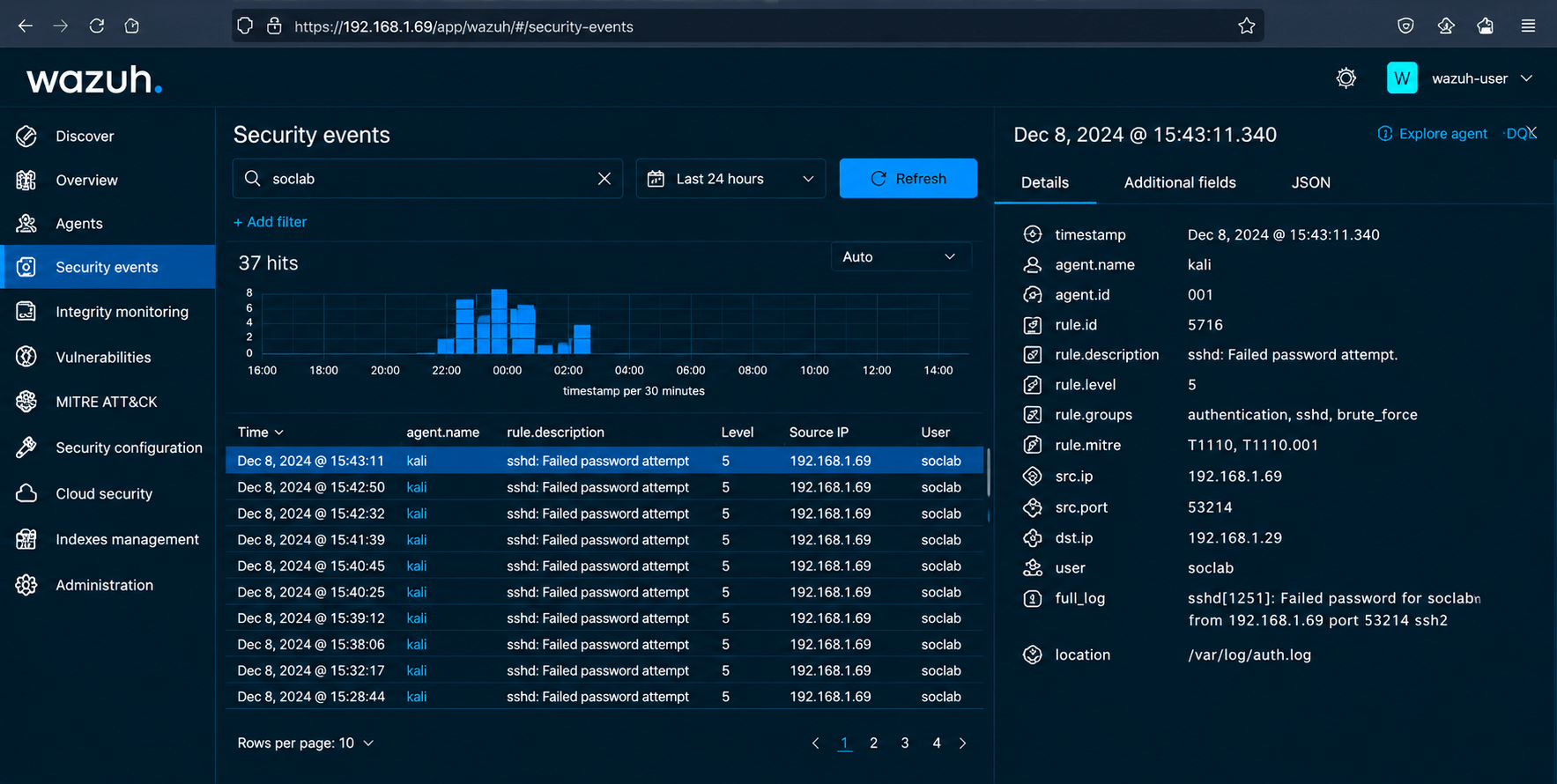
Determine which alerts are caused by legitimate activity.
1
Steps
a
-
Select an alert.
-
Review the related logs.
-
Check whether the activity was expected.
-
Compare it with the test scenario.
-
Classify the alert as:
True Positive
OR
False Positive
Task 3: Identify the Cause
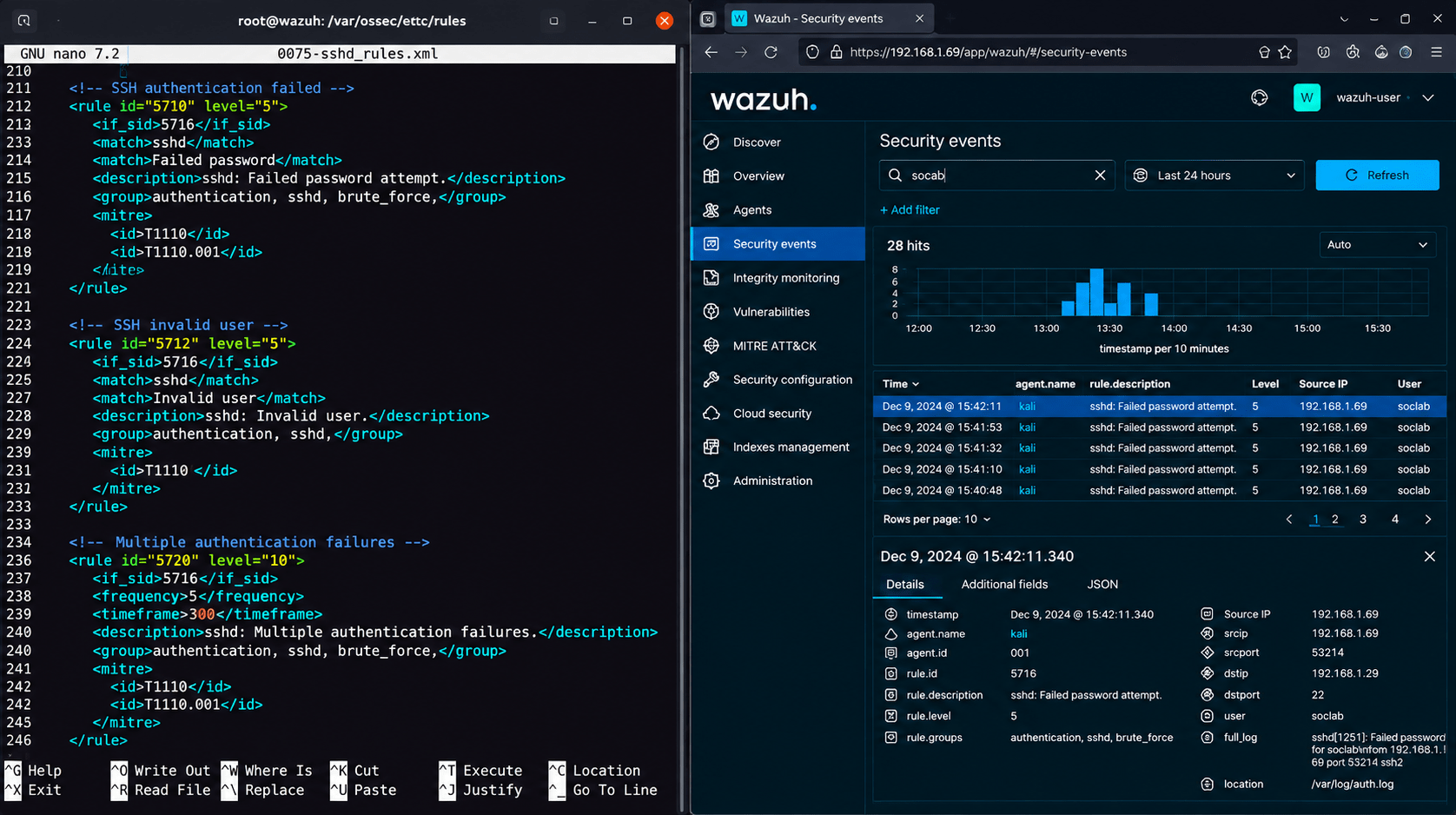
Understand why a legitimate activity is generating an alert.
1
Steps
a
For a selected false positive:
-
Identify the detection rule.
-
Review the rule conditions.
-
Identify what triggered the rule.
-
Determine what legitimate activity caused the alert.
-
Decide what condition could safely reduce the false positive.
Task 4: Tune the Detection Rule
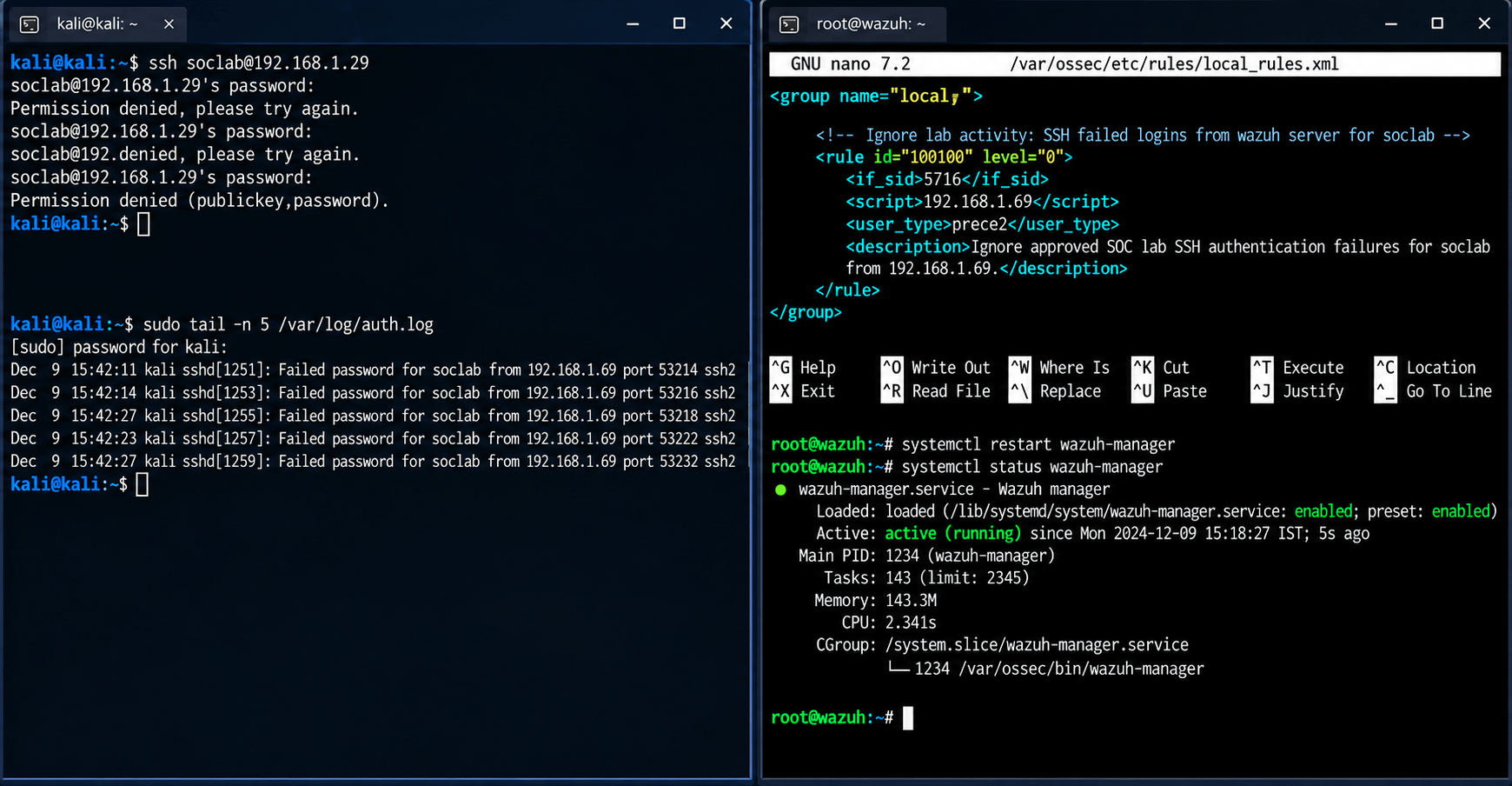
Reduce unnecessary alerts while maintaining security visibility.
1
Steps
a
-
Open the assigned detection rule.
-
Add an appropriate condition or exception for the known legitimate activity.
-
Keep the rule active for genuinely suspicious activity.
-
Save the updated rule.
-
Record what was changed and why.
Task 5: Test the Tuned Rule
Verify that alert tuning works correctly.
1
Steps
a
-
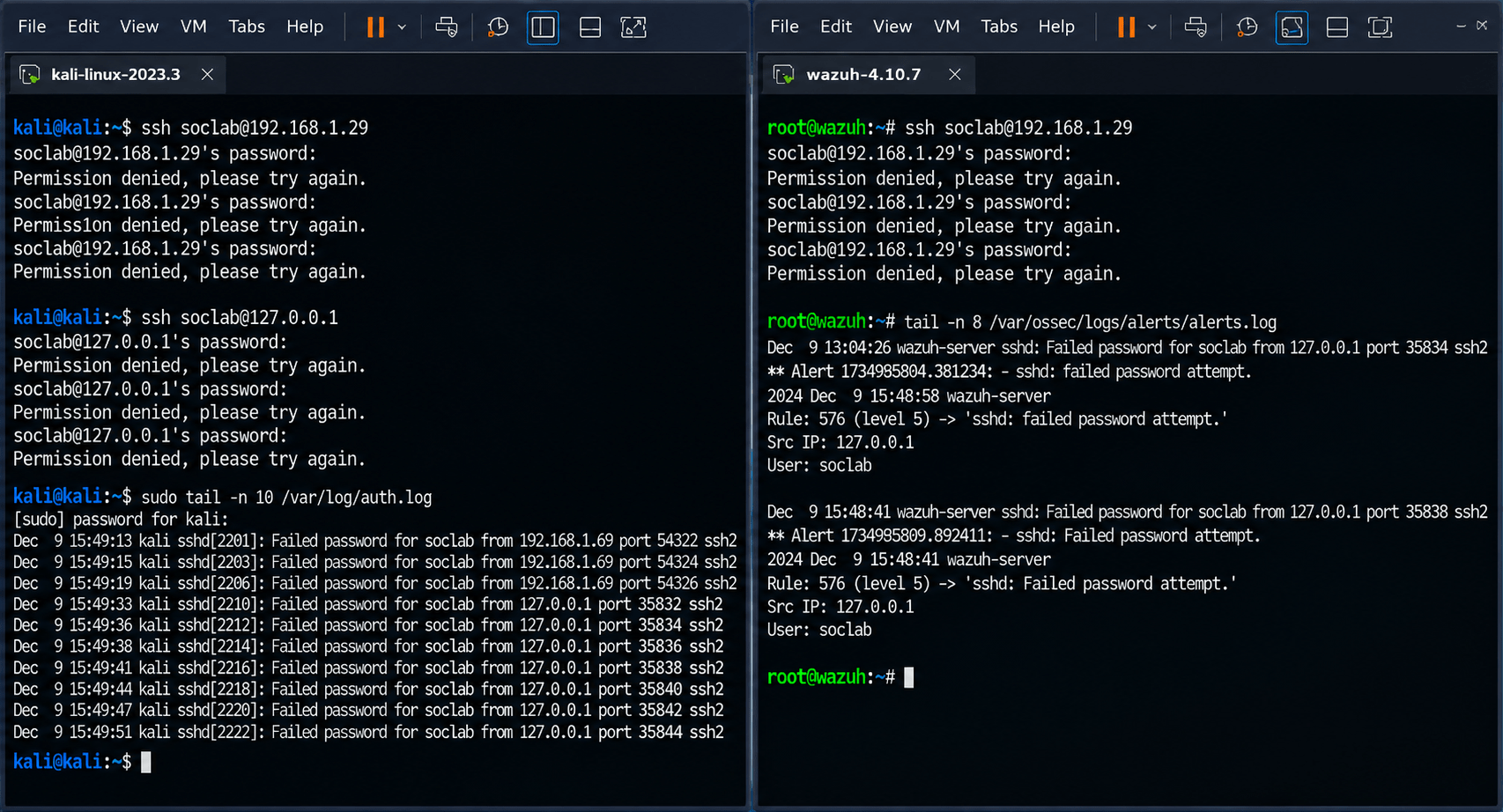
Generate the same legitimate activity again.
-
Monitor the SIEM.
-
Confirm that unnecessary alerts are reduced.
-
Generate a separate suspicious test event.
-
Verify that the security alert is still generated.
-
Compare the results before and after tuning.
Task 6: Document the Tuning
Record the alert-tuning activity.
1
| Field | Example |
|---|---|
| Rule ID | RULE-001 |
| Alert | Multiple Login Failures |
| Initial Alerts | 25 |
| False Positives | 20 |
| Tuning Applied | Added approved test condition |
| Alerts After Tuning | 5 |
| True Positives Detected | 5 |
| Status | Tuned |
Click to view : SOC incident report
Great job!
You have successfully completed your SOC Alert Tuning and False Positive Reduction lab.
In this lab, you have: Reviewed security alerts, Tuned alert rules, Reduced false positives, Improved alert accuracy
You are now ready to move to the next stage of SOC monitoring and threat detection.
Checkpoint
Next-Lab Preparation
Topic : Incident Response and Investigation
1) Introduction to SIEM tools such as Splunk and Wazuh
2) Alert triaging and investigation process
3) Threat detection techniques