
Content ITV PRO
This is Itvedant Content department
Implement Centralized Log Collection from Endpoints Using Agents
Business Scenario
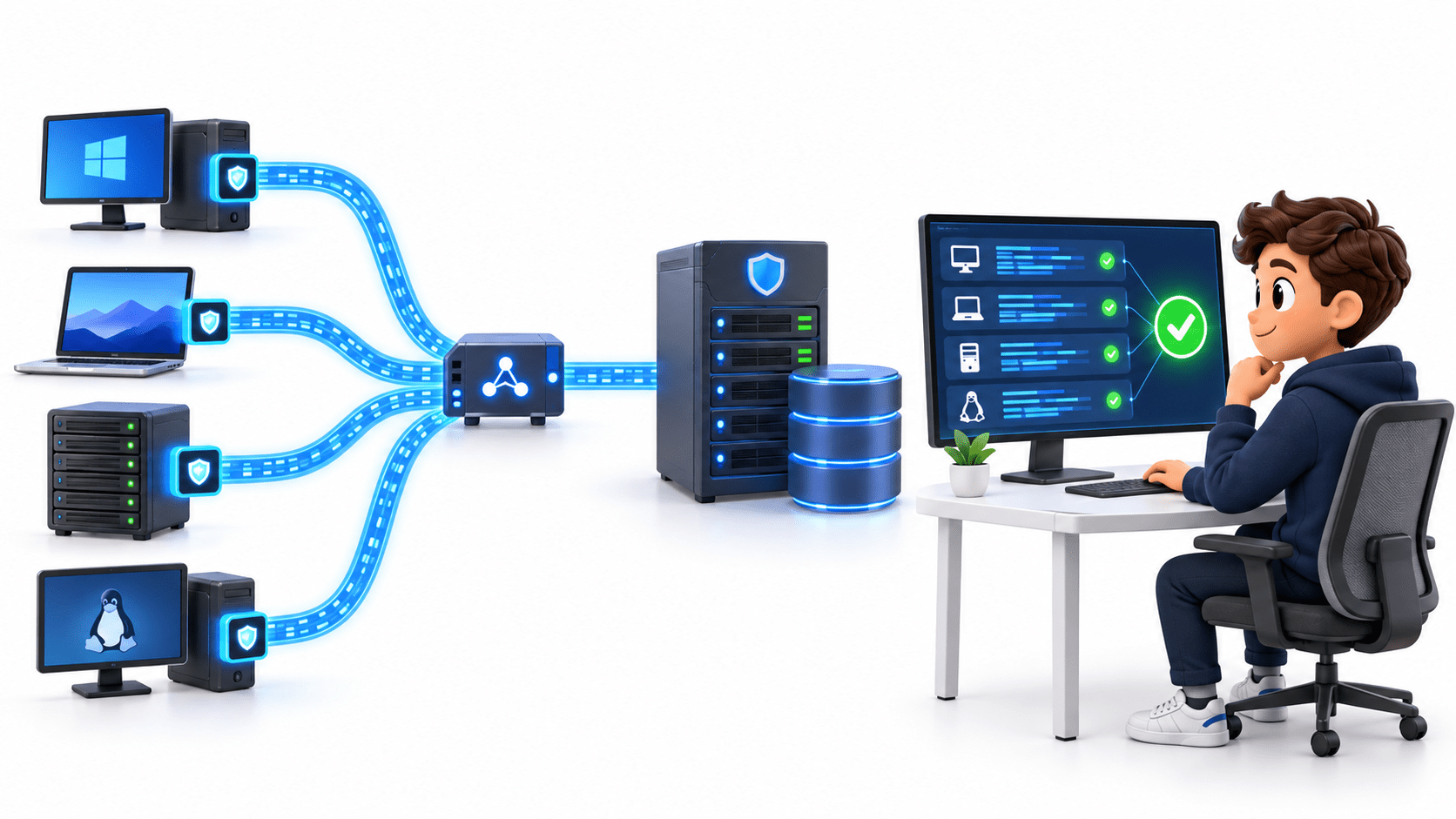
You are a Junior SOC Analyst at CyberSecure Solutions. The organisation has multiple Windows and Linux systems, and the security team wants all endpoint logs in one central monitoring platform.
Your task is to install monitoring agents on test endpoints, connect them to the SIEM, and verify that logs are being collected centrally.
Pre-Lab Preparation
Git Pull
git pull origin branchNameTopic: Log Management and Analysis
Objective
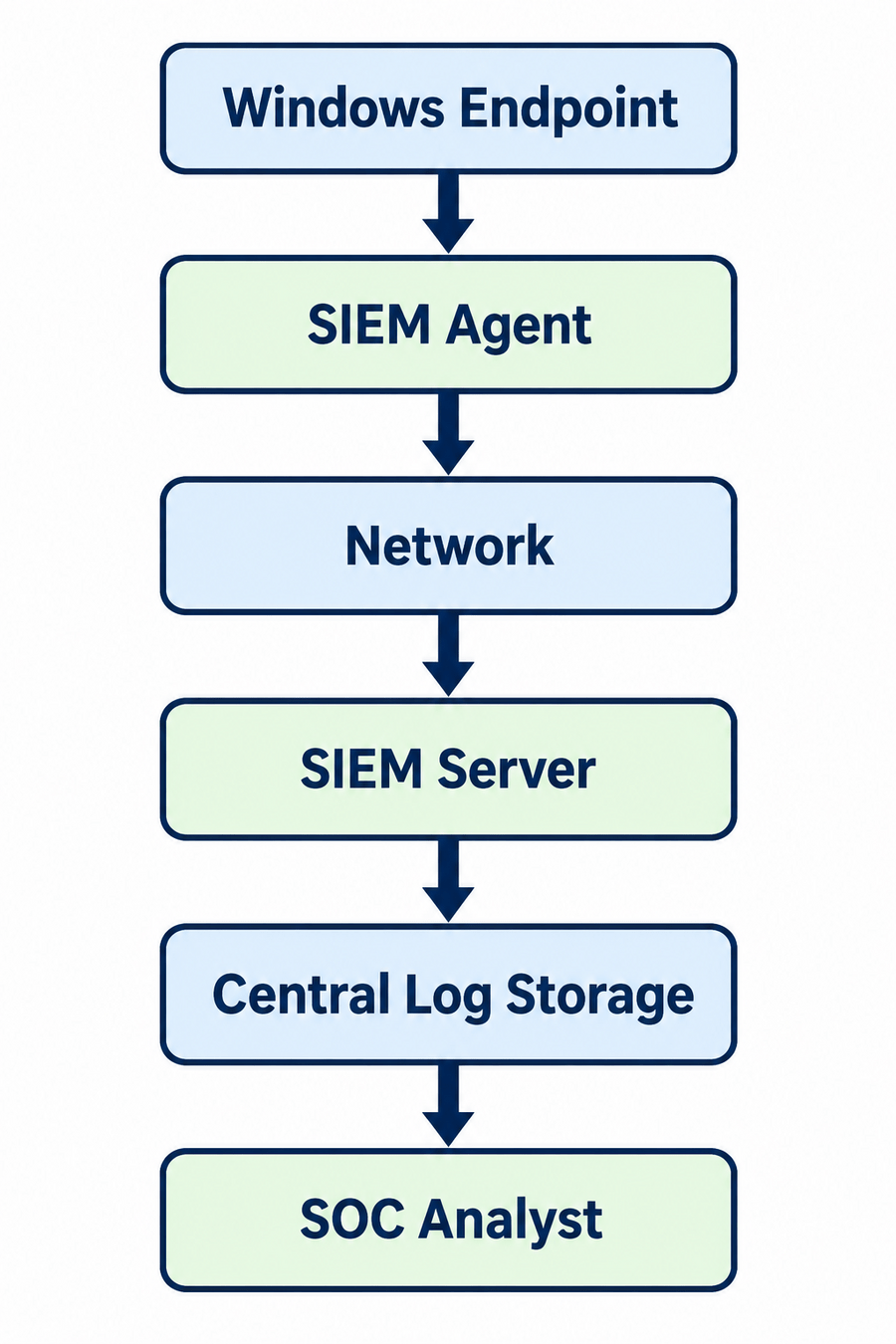
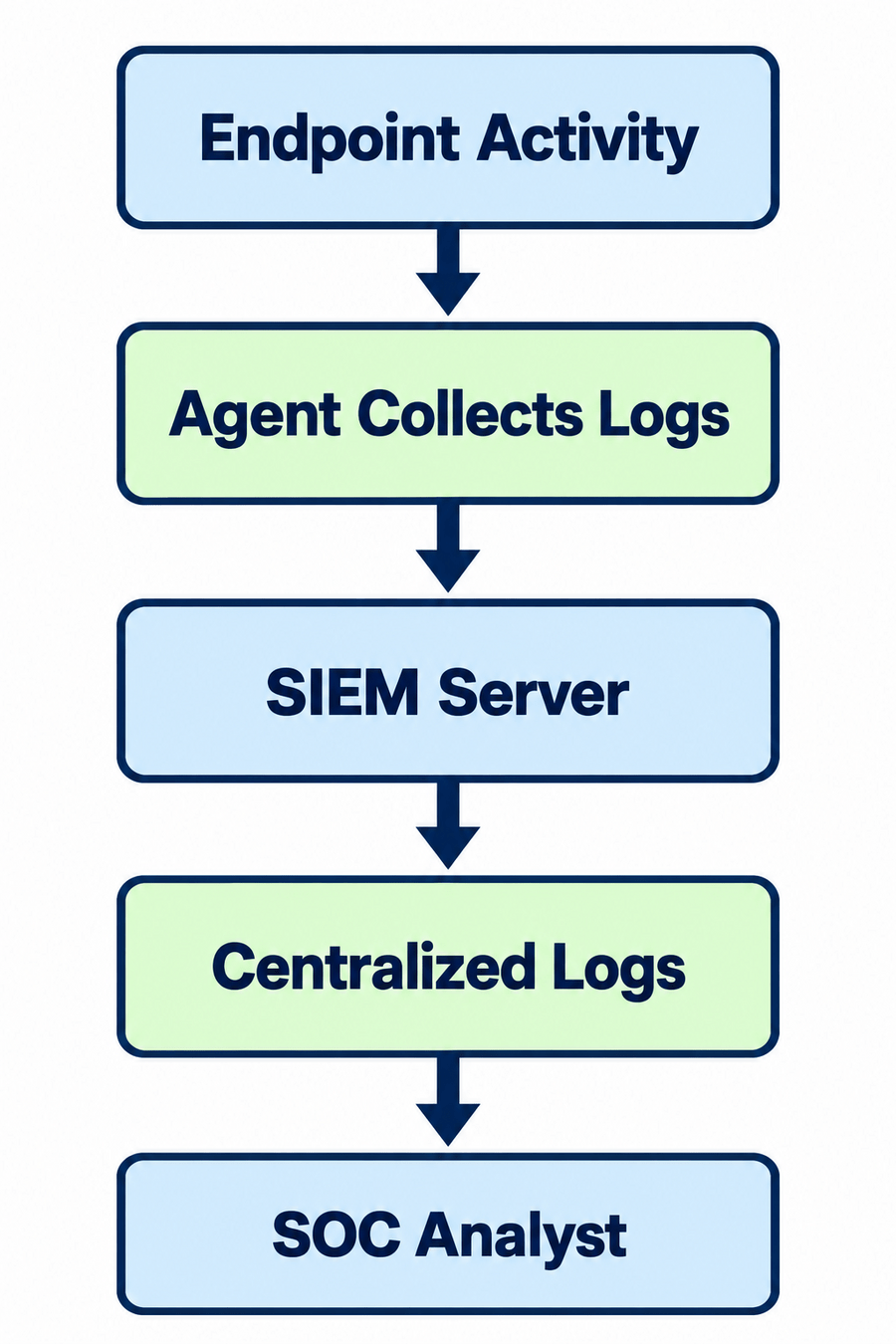
Understand how endpoint logs reach the central SIEM.
Identify the following components:
Endpoint
1
Agent
2
SIEM Server
3
Log Storage
4
Task 1: Understand the Log Collection Architecture
SOC Analyst
5
Example
Expected Output
Activity
Students can explain how logs travel from an endpoint to the SIEM.
Objective
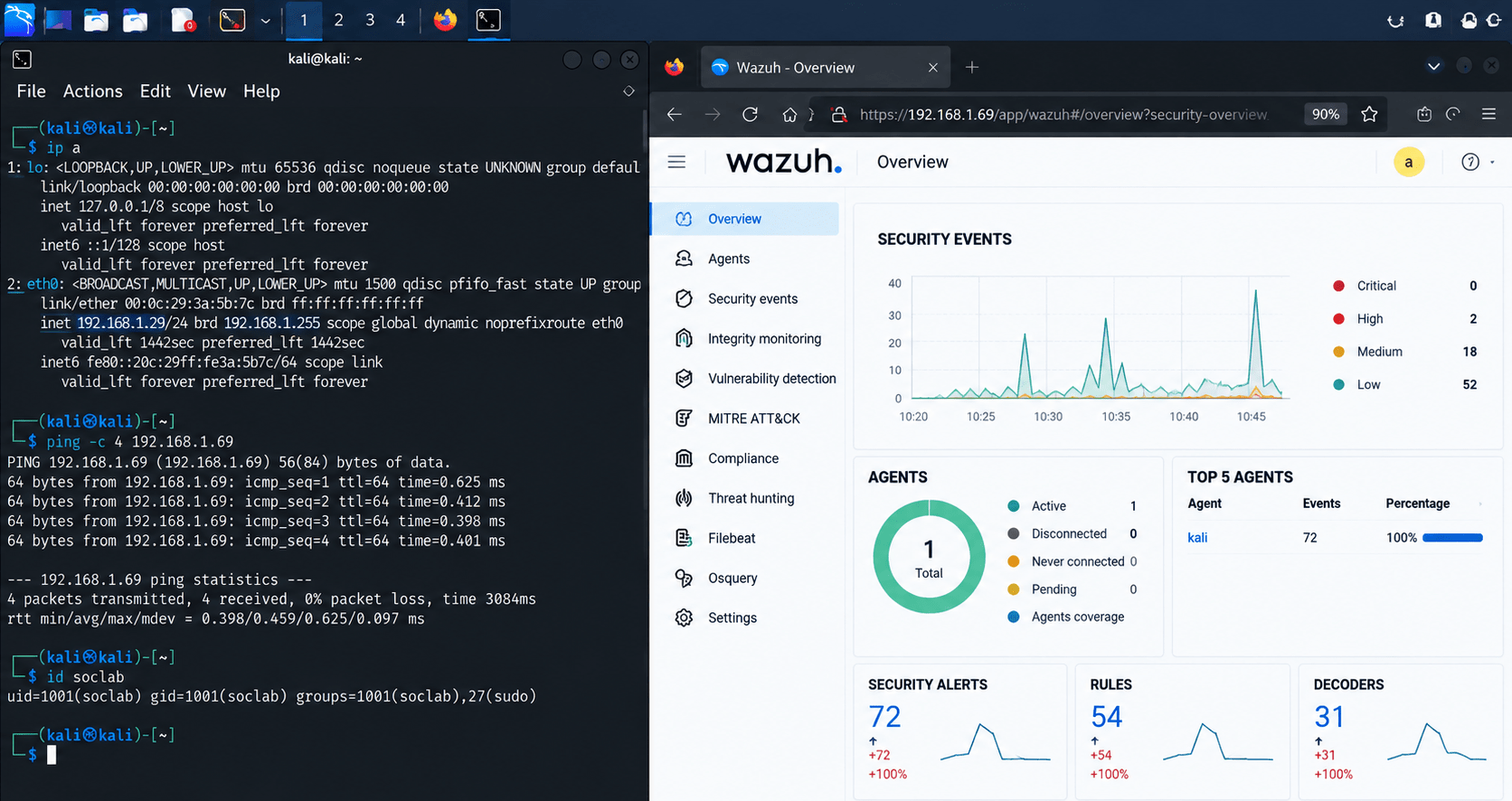
Install a monitoring agent on the test endpoint.
Start the Windows/Linux test VM.
1
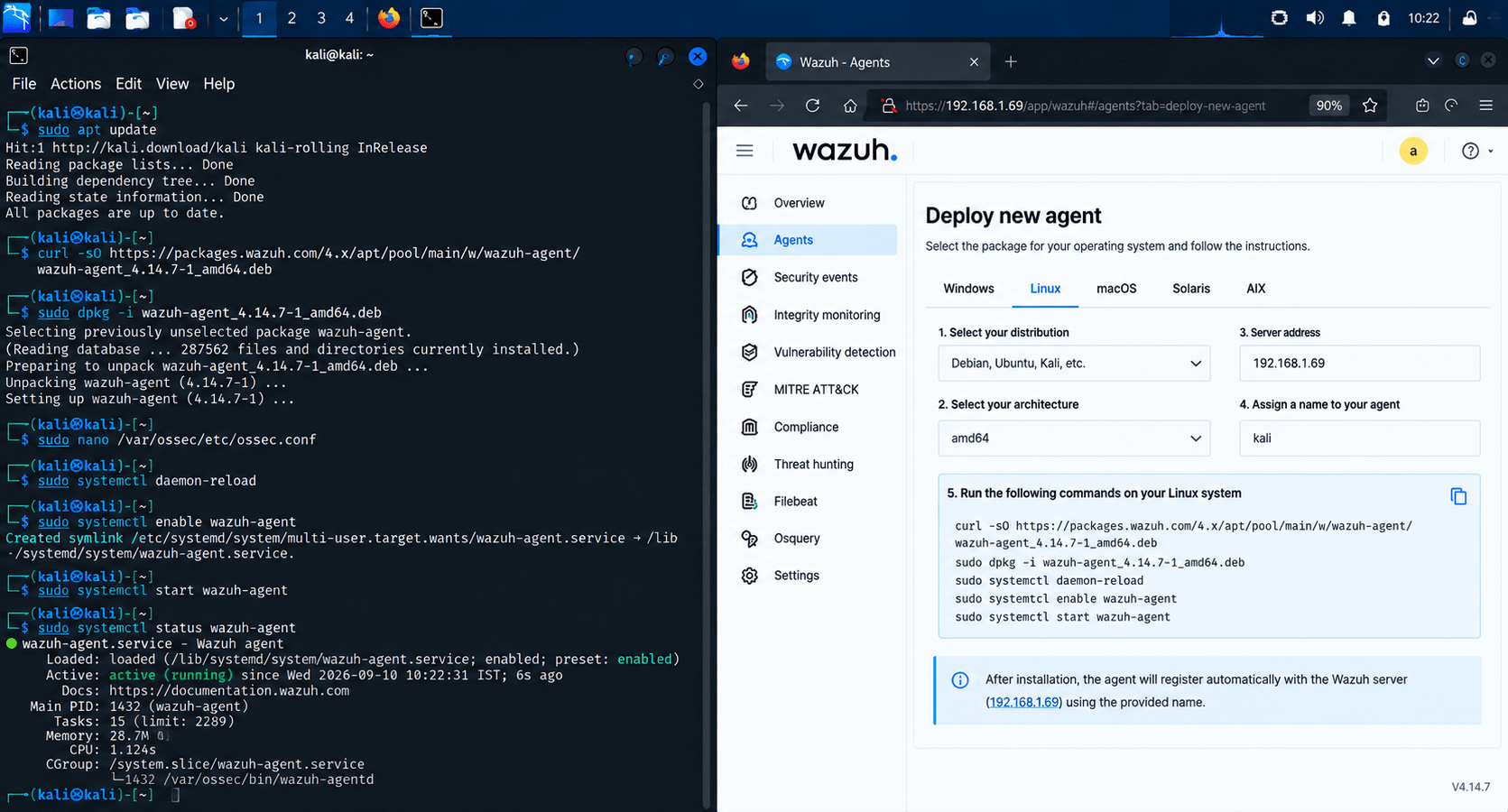
Download the appropriate SIEM agent.
2
Install the agent.
3
During configuration, provide:
4
Sudden large amounts of file activity.
5
Task 2: Install the Agent
SIEM server address
Agent name
Registration information, if required
Expected Output
The agent is installed and running on the test endpoint.
Objective
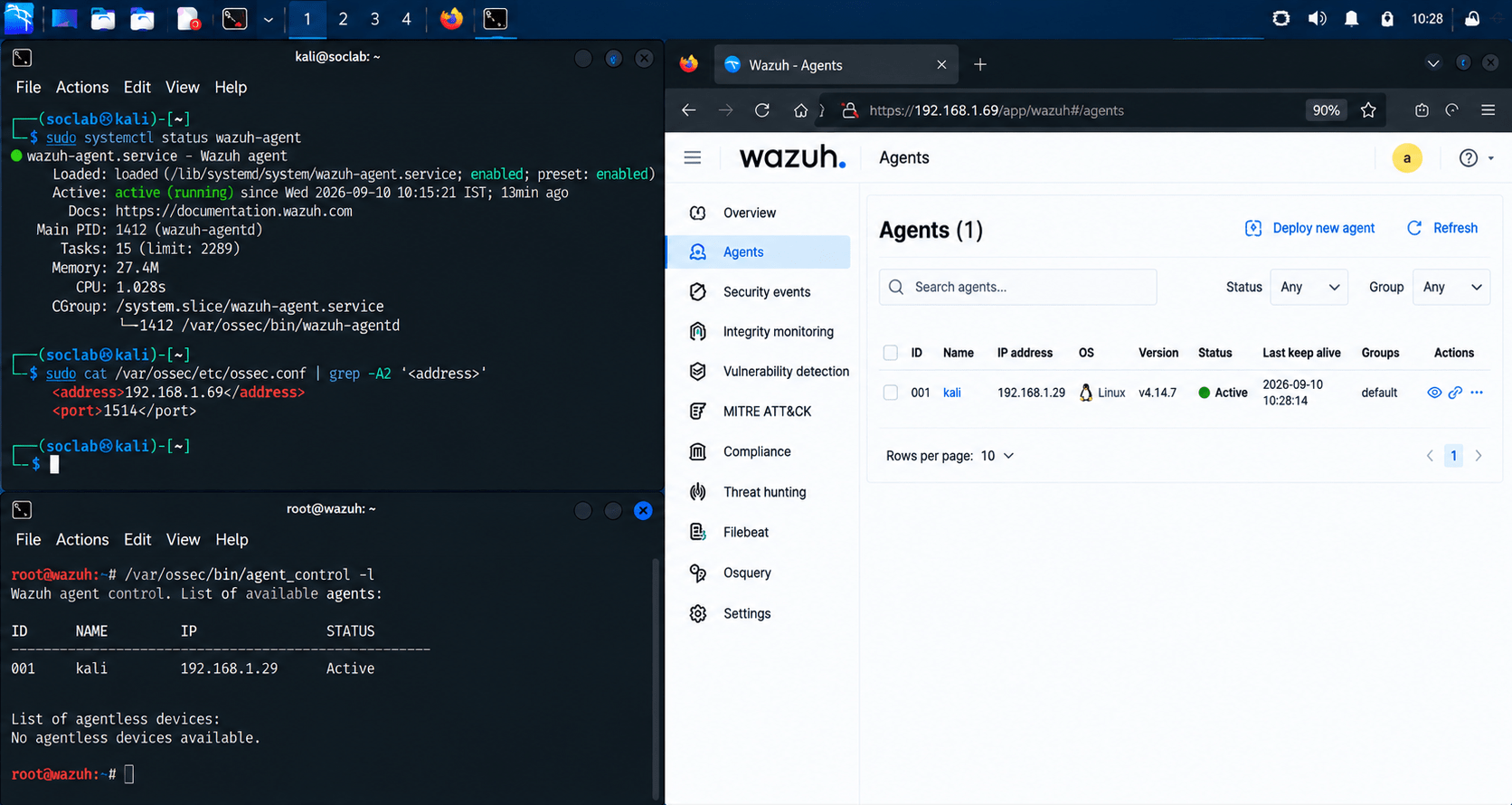
Register the endpoint with the central monitoring server.
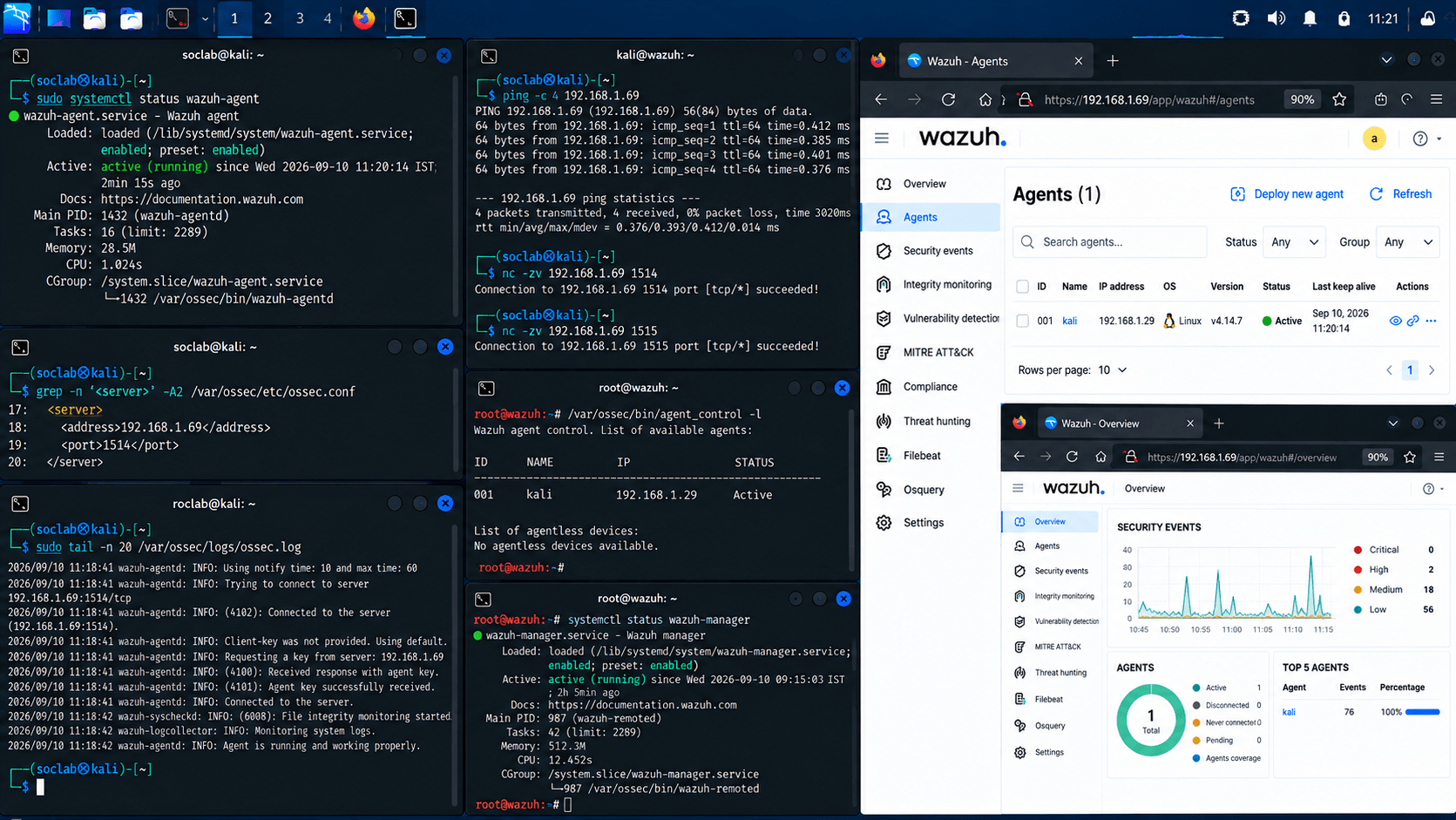
Open the SIEM dashboard.
1
Navigate to the Agents/Endpoints section.
2
Locate the test endpoint.
3
Agent name
IP address
Operating system
Connection status
Task 3: Connect the Endpoint to the SIEM
Confirm that its status is Active/Connected.
4
Record:
5
Agent name
IP address
Operating system
Connection status
Expected Output
The endpoint appears as an active agent in the SIEM.
Objective
Verify that endpoint logs are being sent to the central system.
Task 4: Collect Endpoint Logs
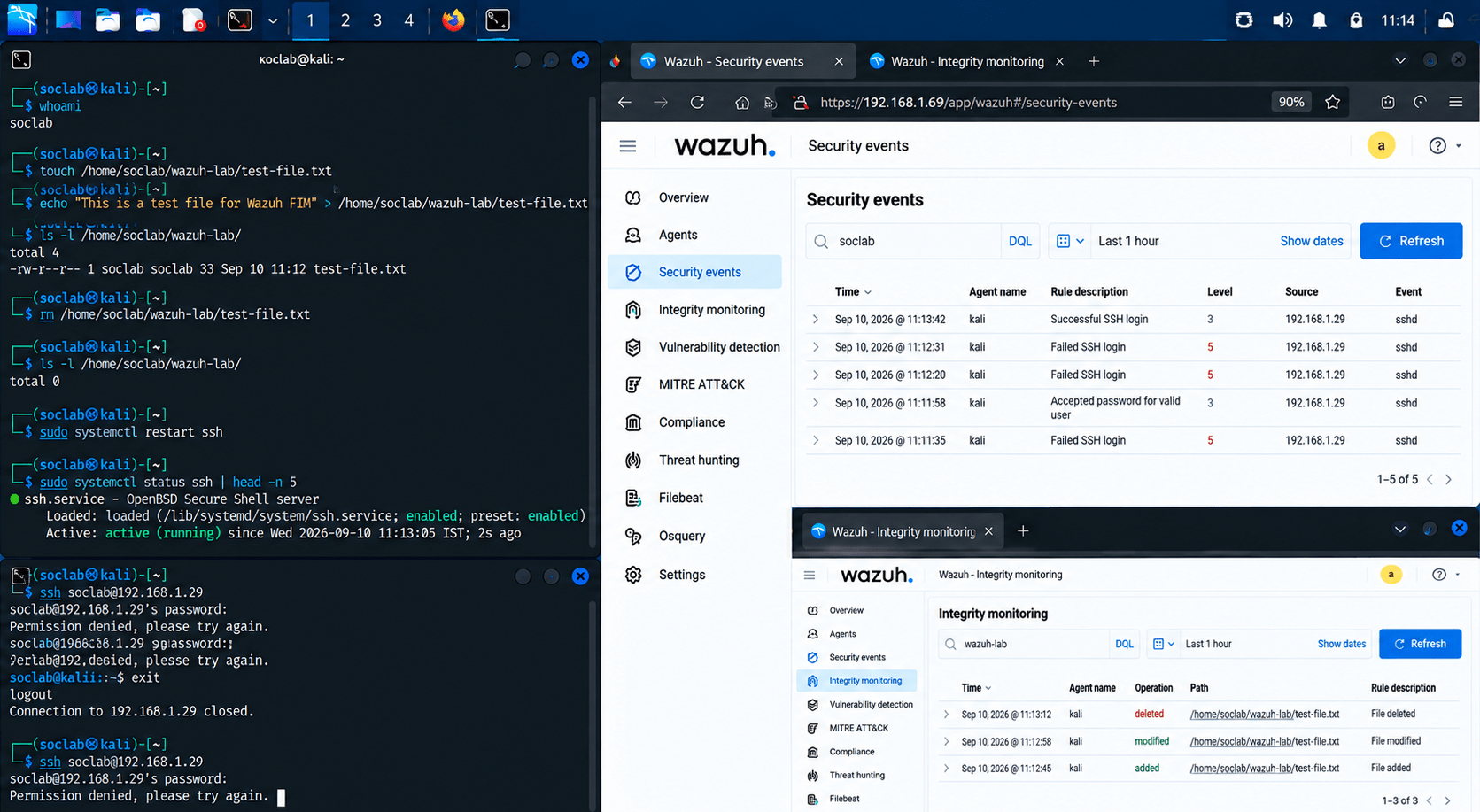
Generate simple test activities on the endpoint:
1
Successful login.
Failed login.
File creation.
File deletion.
Service start/stop.
Open the SIEM dashboard.
2
Search for the generated events.
3
Example
Verify that the events came from the correct endpoint.
4
Expected Output
Activity
Students can see endpoint events in the central SIEM.
Objective
Understand how centralised logs can be used for monitoring.
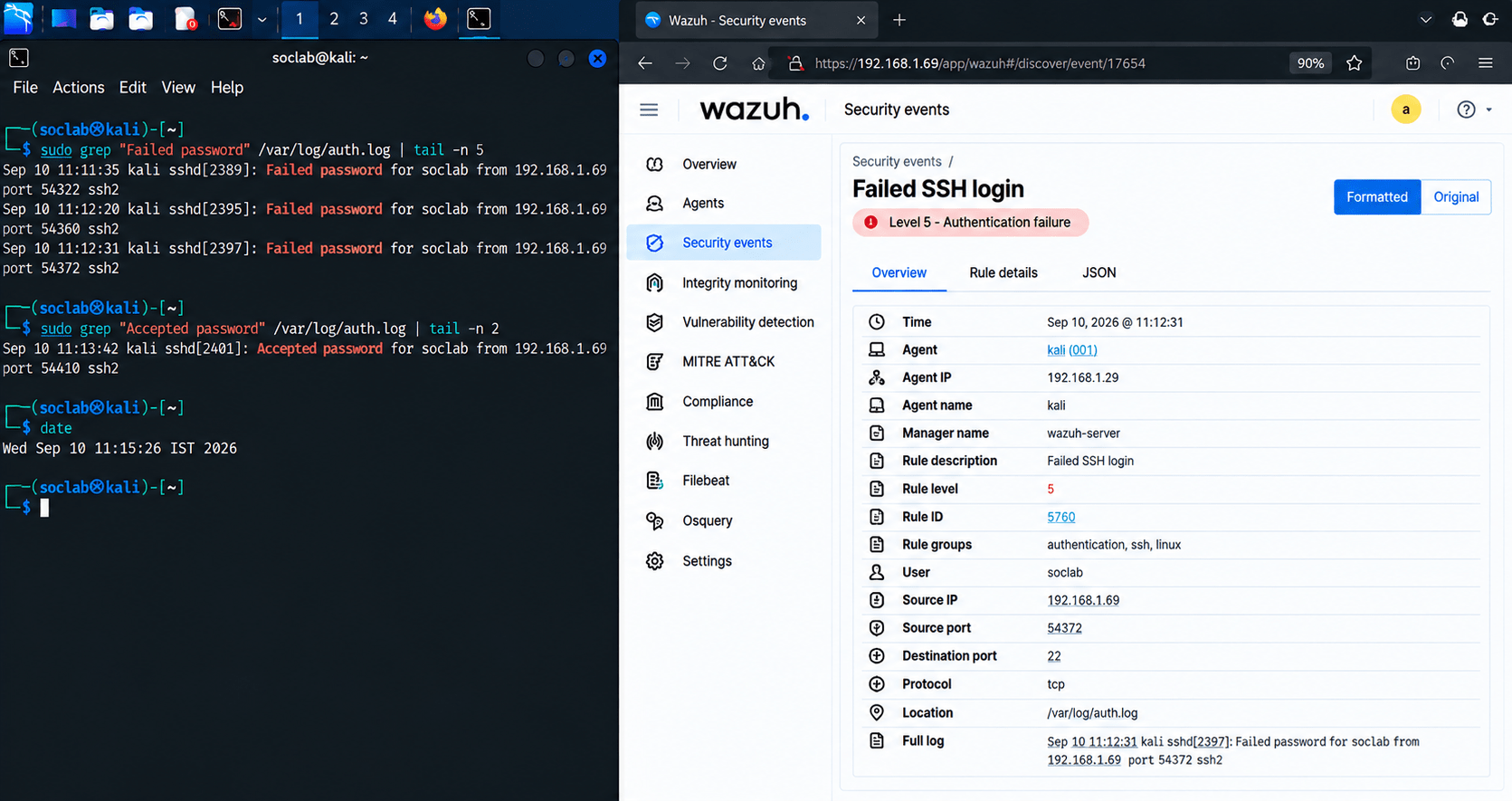
Select one collected event.
1
Review:
2
Timestamp
Hostname
Username
Event type
Source
Severity
Determine whether the event is normal or suspicious.
3
Task 5: Analyze the Collected Logs
Record your findings.
4
Expected Output
Activity
Students analyze an endpoint event using centralized SIEM data.
Objective
Understand common reasons why logs may not appear.
If logs are not being received, check:
Task 6: Troubleshoot Log Collection
Is the agent service running?
1
Is the endpoint connected to the network?
2
Is the SIEM server reachable?
3
Is the agent correctly registered?
4
Is the required firewall/network communication allowed?
5
Check the agent logs for errors.
6
Restart the agent if required.
7
Verify log collection again.
8
Expected Output
Is the agent correctly registered?
4
Is the required firewall/network communication allowed?
5
Check the agent logs for errors.
6
Restart the agent if required.
7
Verify log collection again.
8
Expected Output
| Field | Example |
|---|---|
| Finding ID | BEHAV-001 |
| Behavior | Unusual Login |
| User | Test User |
| Normal Behavior | Login during working hours |
| Observed Behavior | Login at unusual time |
| Severity | Medium |
| Analysis | Behavior differs from baseline |
| Action | Account investigated |
| Status | Investigating |
Example Finding
Finding:
Abnormal User Behaviour
Observation:
A test account performed activity outside its normal
behaviour pattern.
Analysis:
The activity differed from the established baseline
and was investigated using related SIEM events.
Risk:
The behaviour may indicate compromised credentials
or unauthorised activity.
Recommendation:
Continue monitoring the account and investigate
related authentication and endpoint events.
Example Finding
Finding:
Abnormal User Behaviour
Observation:
A test account performed activity outside its normal
behaviour pattern.
Analysis:
The activity differed from the established baseline
and was investigated using related SIEM events.
Risk:
The behaviour may indicate compromised credentials
or unauthorised activity.
Recommendation:
Continue monitoring the account and investigate
related authentication and endpoint events.
Expected Output
Great job!
After completing this lab, students will be able to explain proactive threat hunting, create hunting hypotheses, search logs without relying on alerts, identify suspicious patterns, investigate potential threats, map findings to the MITRE ATT&CK framework, and document threat-hunting activities effectively.
Checkpoint
Git Push
git push origin branchNameNext-Lab Preparation
Topic: Log Management and Analysis
By Content ITV