























Content ITV PRO
This is Itvedant Content department
Framework Design
Page Object Model (POM)
Learning Outcome
4
Improve test readability and reduce code duplication.
3
Create reusable and maintainable page classes.
2
Separate test logic from UI interaction code.
1
Understand the purpose and structure of POM.
5
Apply POM with Selenium and update tests easily when UI changes.
Recall
Page Object Model (POM)
To understand POM, you need to revise the topics like
Object-Oriented Programming (OOP)
Programming Language Basics
Selenium WebDriver Fundamentals
HTML & DOM Structure
Classes, objects, methods, encapsulation, and inheritance
Java / Python / any language used for automation
Locators (id, xpath, css), actions (click, sendKeys), waits
Understanding web elements and how they are structured
Test Automation Basics
Basic Framework Knowledge
Test cases, assertions, test execution flow
Familiarity with tools like TestNG / PyTest (optional but helpful)
These topics will make learning POM much easier and more effective.
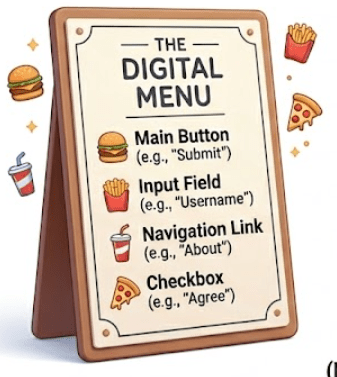
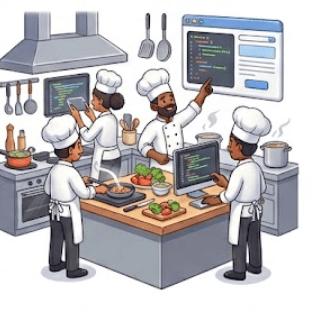
Think of Page Object Model (POM) like ordering food in a restaurant:
Menu (Page Class):
The menu lists all available dishes (elements and actions on a webpage).
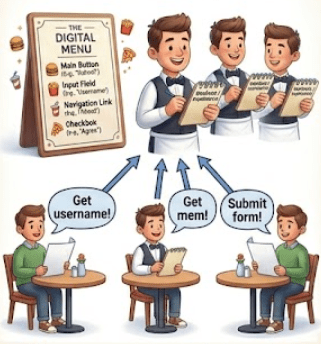
Waiter (Methods in Page Class):
You don’t go into the kitchen yourself—you tell the waiter what you want. Similarly, tests don’t directly interact with UI elements; they call methods
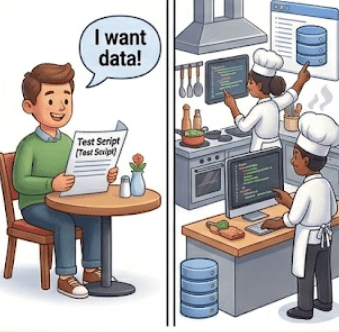
Analogy to Understand Need of POM
Kitchen (UI / Web Page):
he actual work (clicking buttons, entering text) happens behind the scenes.
Customer (Test Script):
You simply place an order (call methods) without worrying about how the food is prepared.
How this relates to POM:
You separate responsibilities (customer ≠ kitchen)
You reuse the same menu/waiter for multiple orders (reusability)
If something changes (recipe/UI), only the kitchen/menu needs updating—not the customer’s behavior
This way, POM keeps your test code clean, organized, and easy to maintain, just like a well-managed restaurant system
Why use Page Object Model (POM)?.
POM is used to make test automation:
● Easier to maintain
● More readable
● Reusable
● Scalable
● Less prone to errors
Without POM, automation scripts become:
● Repetitive
● Hard to maintain
● Difficult to update when UI changes
What is Page Object Model (POM)?
Page Object Model (POM) is a design pattern used in test automation where each web page of an application is represented as a separate class.
Each page class contains:
Web elements (locators)
Methods (actions on those elements)
The main idea is to separate test logic from UI interaction logic.
Example :
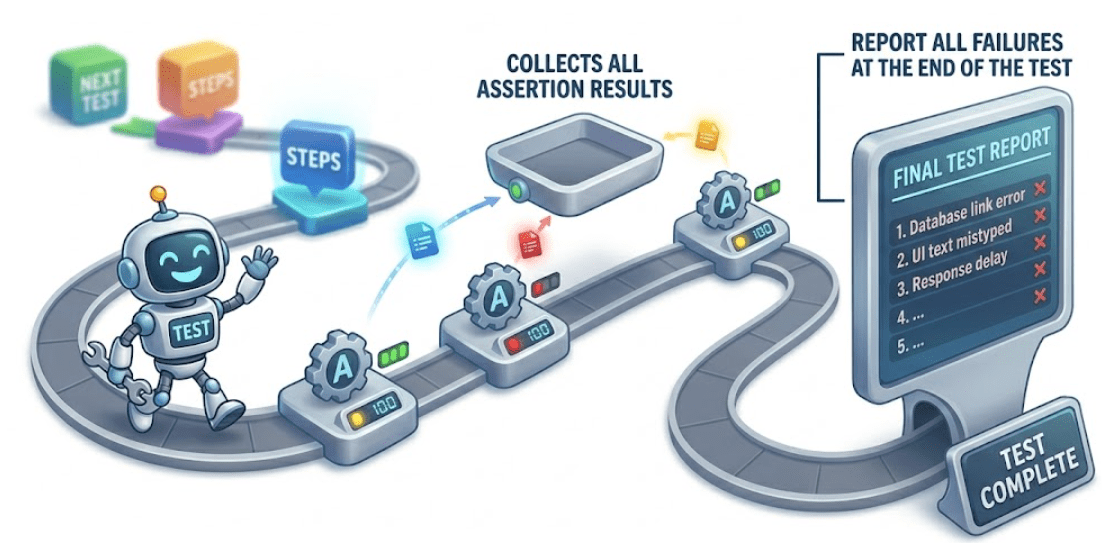
SoftAssert soft = new SoftAssert();
soft.assertEquals(actualTitle, "Home Page");
soft.assertTrue(isLogoDisplayed);
soft.assertAll(); // mandatory to report results
Used when you want to validate multiple conditions in a single test.
Soft Assertions
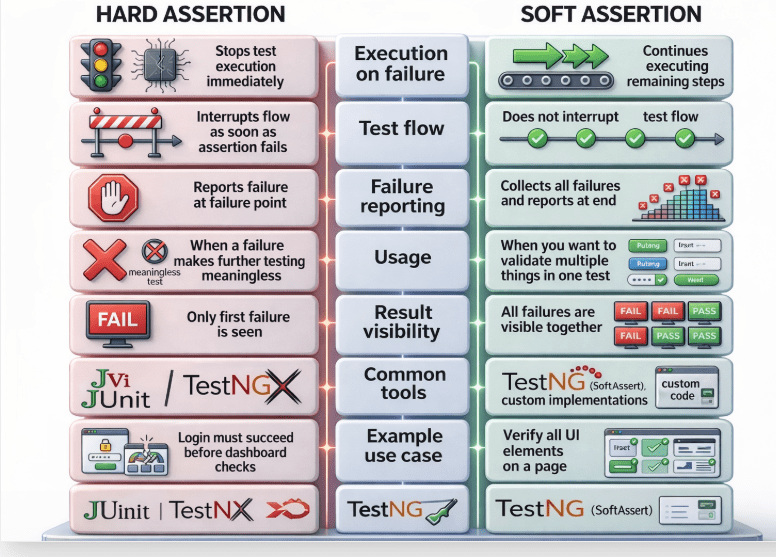
Difference between Hard Assertion and Soft Assertion
TestNG reporting is the mechanism that captures test execution details, results, logs, failures, and metadata, and presents them in structured formats like HTML, XML, and logs
It is automatically generated after execution and can also be extended using listeners and third-party tools.
When you run a TestNG suite, it automatically creates a folder:
/test-output
This folder contains all reports generated by TestNG.
TestNG Reporting
Types of Report
test-output/index.html
What it contains :
Test suite summary
Passed / Failed / Skipped tests
Execution time
Class-wise breakdown
Error stack traces (for failures)
Test methods details
Structure:
Suite view
Test view
Groups view
Reporter output
This is the most commonly used report for debugging.
Emailable Report
test-output/emailable-report.html
Purpose :
Lightweight report
Designed to be sent via email/CI tools
Contains:
Pass/fail summary
Test case names
Execution status
XML Report
test-output/testng-results.xml
Purpose :
Machine-readable format
Used by CI/CD tools like Jenkins
Contains:
Suite structure
Test methods
Execution status
Time stamps
Exceptions
D. JUnit Report
Purpose :
Converts TestNG results into JUnit format
Useful for tools that support only JUnit (like older CI systems)
test-output/junitreports
Summary
4
3
2
1
WebElements represent HTML elements on a web page in Selenium.
5
Check element states: displayed, enabled, selected.
Perform actions: click, type, clear, submit.
1
Assertions validate expected vs actual results in tests.
2
Hard assertions stop execution on failure.
3
Soft assertions continue and report all failures at the end.
4
Common methods include assertEquals, assertTrue, and assertFalse.
5
TestNG reports help analyze results and improve test quality.
Quiz
Where does TestNG generate default reports after execution?
A. src folder
B.test-output folder
C.resources folder
D.logs folder
Quiz - Answer
Where does TestNG generate default reports after execution?
A. src folder
C.resources folder
D.logs folder
B.test-output folder
By Content ITV