Make Package Structure And Implementing GET APIs for Patient

Business Scenario
In this lab, you will create the required packages, implement Patient GET APIs (Get All & Get By Id), and run the Spring Boot application to verify the output in the browser.

Pre-Lab Preparation
-
Basic knowledge of Spring Boot
-
Understanding of layered architecture
-
REST API basics
Task 1: Create Package Structure
1
Open your Spring Boot project in Eclipse
2
Create packages inside base package:
Base Package : com.itvednat.medicare
Create following packages:
-
entities
-
repositories
-
services
-
Controllers
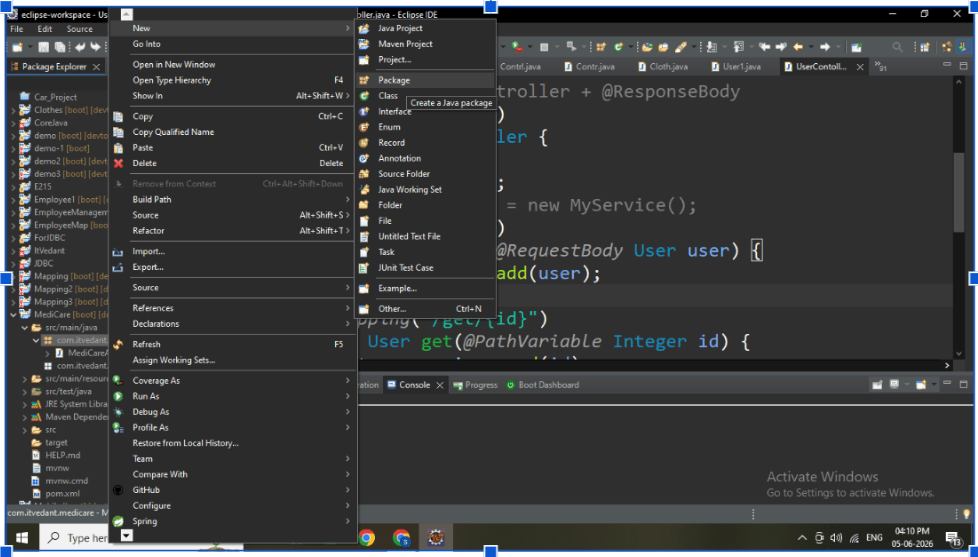
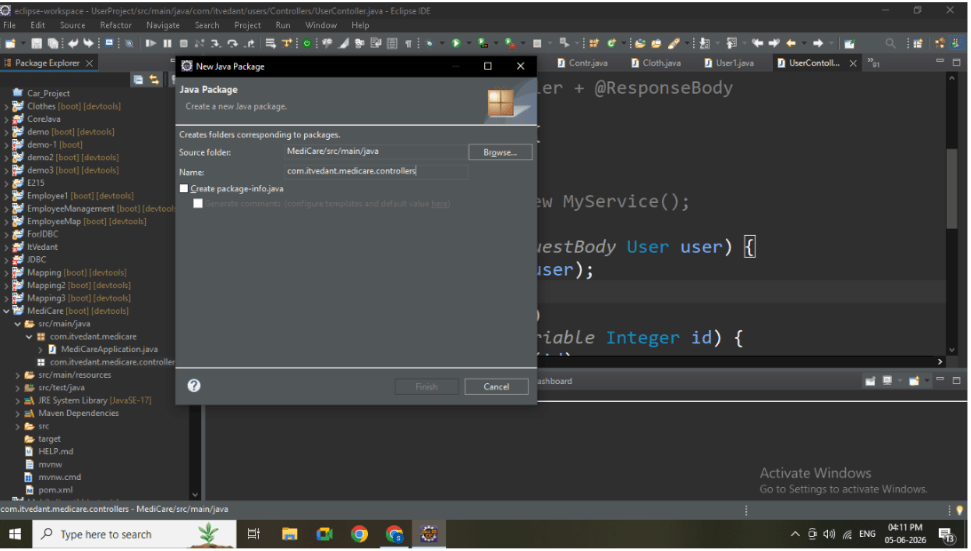
Then Create Remaining Packages.
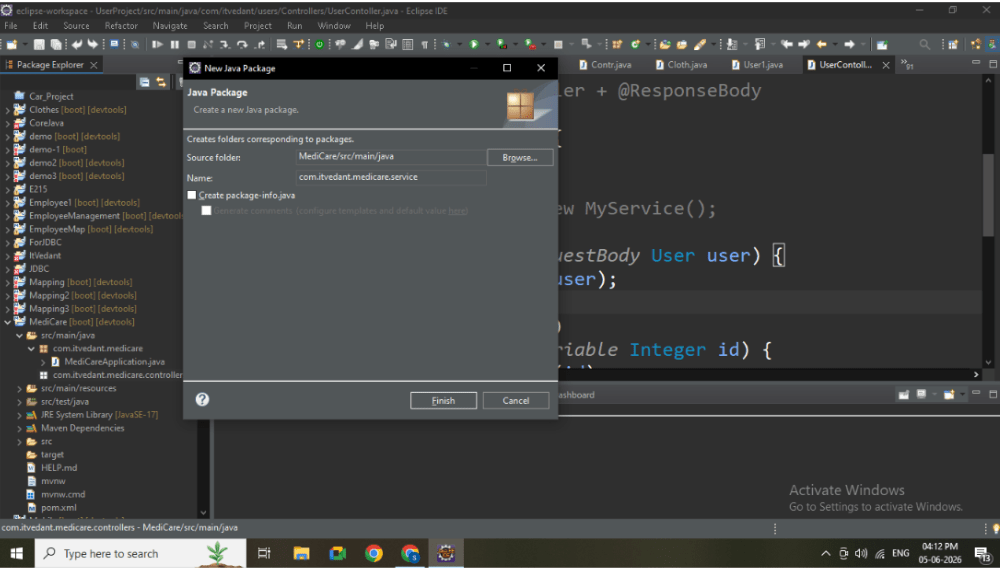
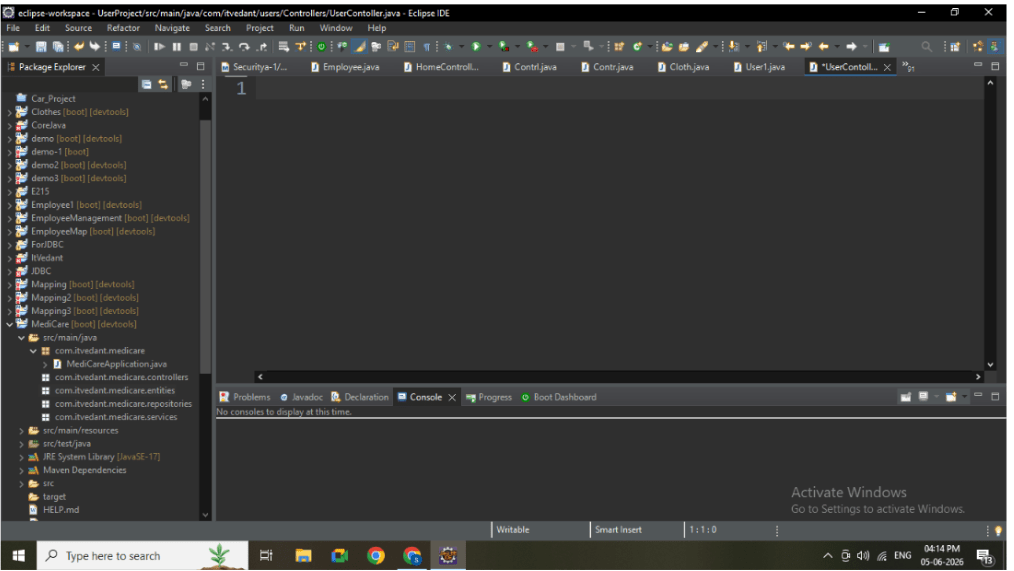
Task 2: Create Entity Class
1
Inside entity package, create: Patient.java
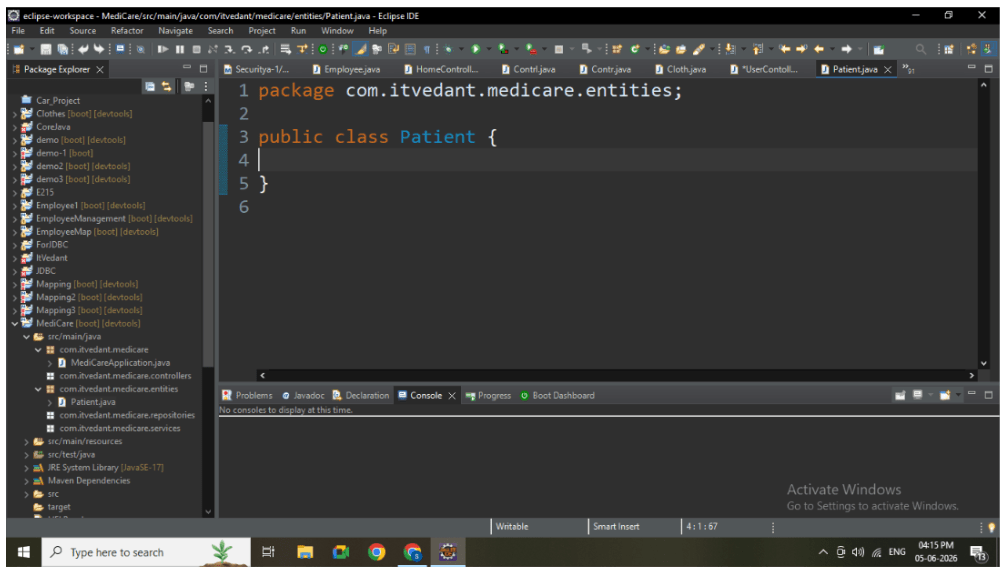
2
Add all attributes and annotations
public class Patient {
   @Id
   @GeneratedValue(strategy = GenerationType.IDENTITY)
   private Long id;
   private String name;
   private int age;
   private String gender;
   private String contact;
   private String email;
   private String address;
   private String medicalHistory;
   private String bloodGroup;
   private String emergencyContact;
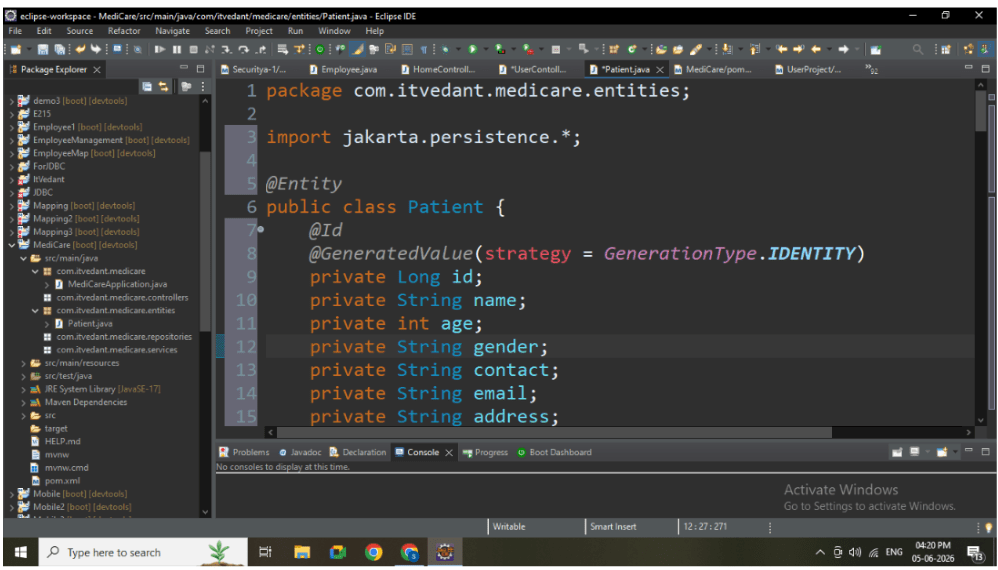
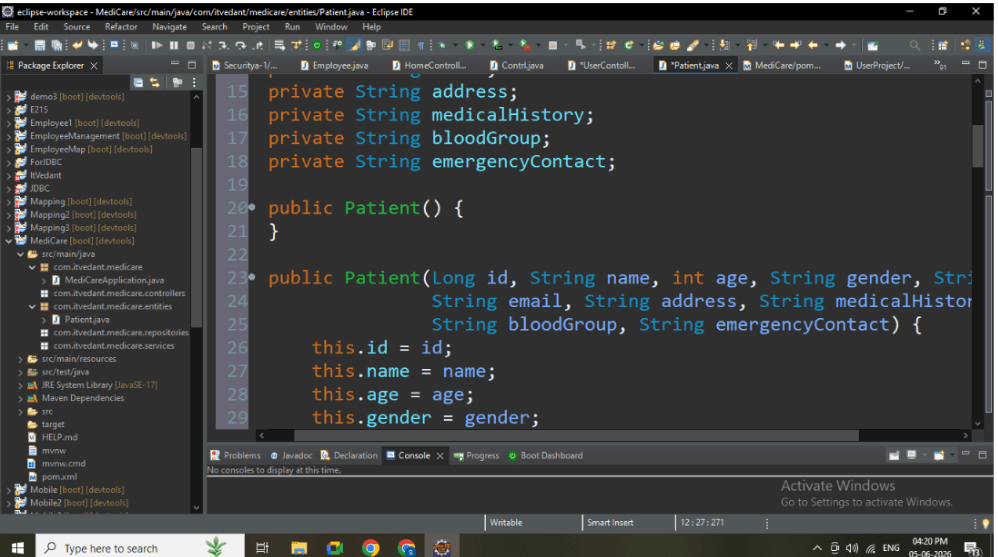
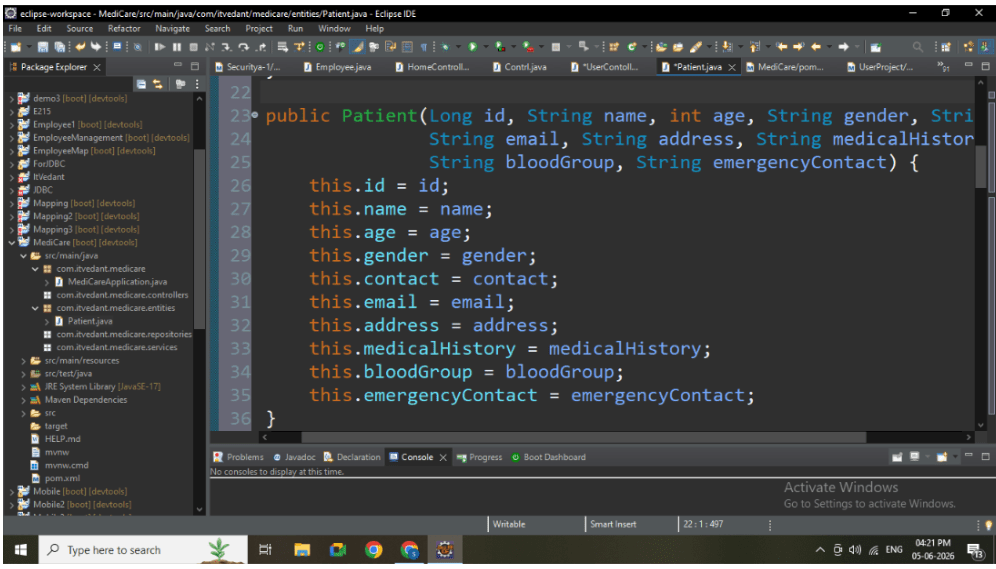
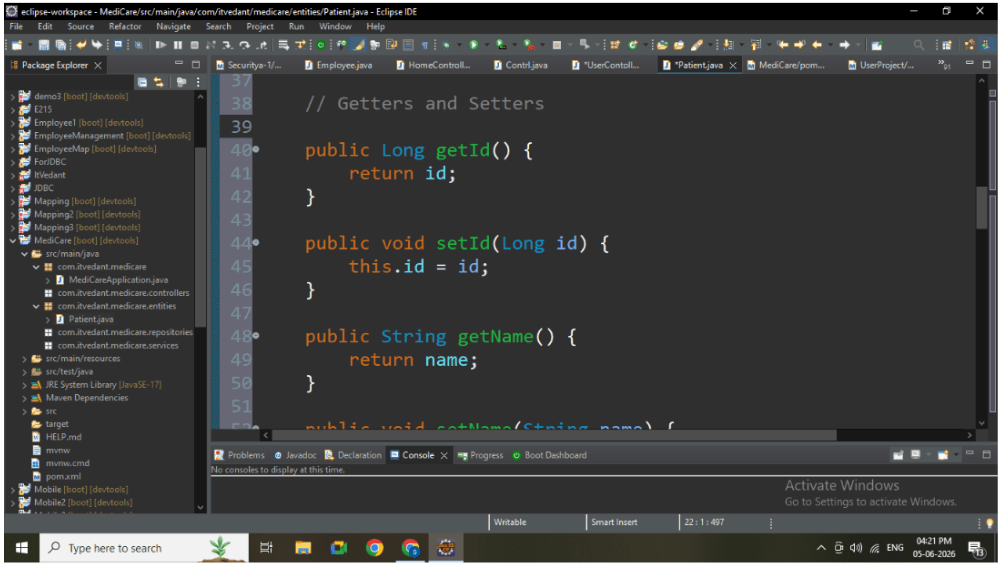
(Patient Entity Code)
Task 3: Create Repository Layer
1
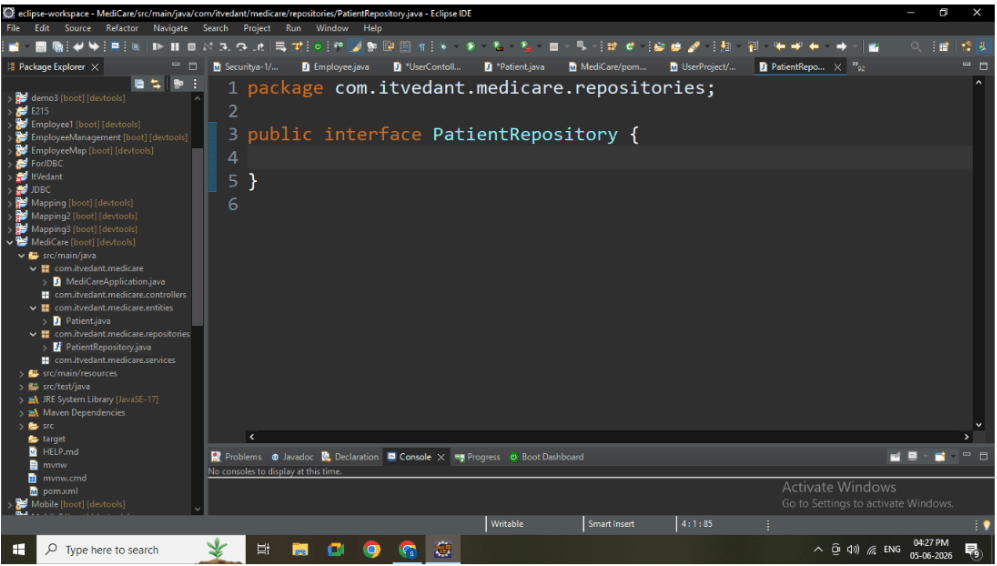
Inside repository package, create: PatientRepository.java
2
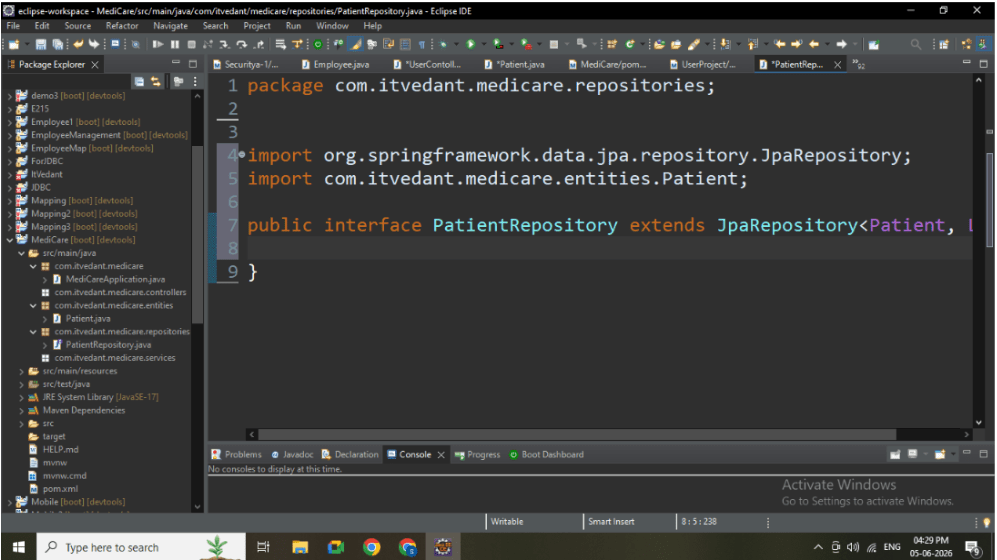
Extend JpaRepository
Task 4: Create Service Layer
1
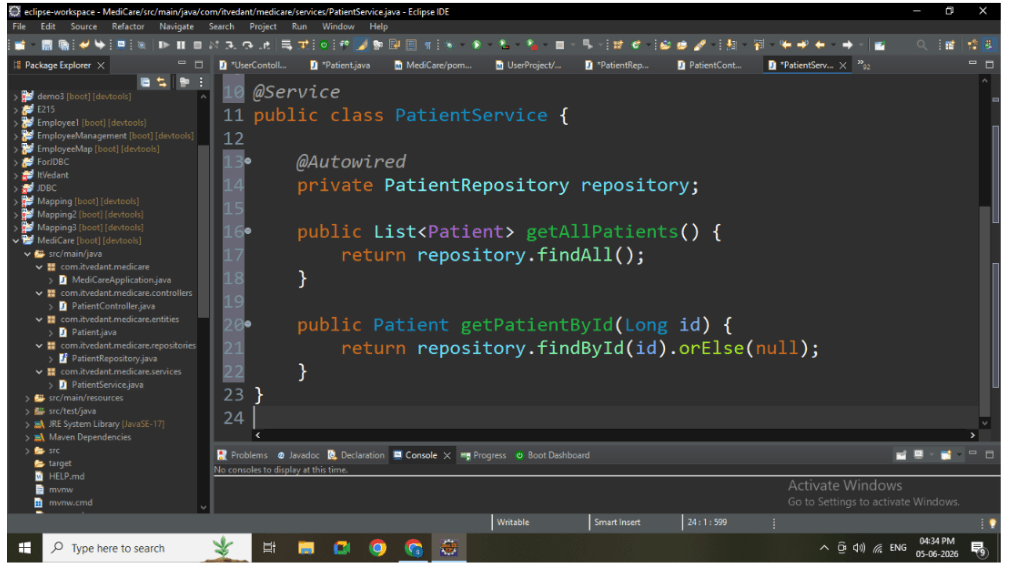
Inside service package, create:PatientService.java
2
Add method declarations:
-
getAllPatients()
-
getPatientById()
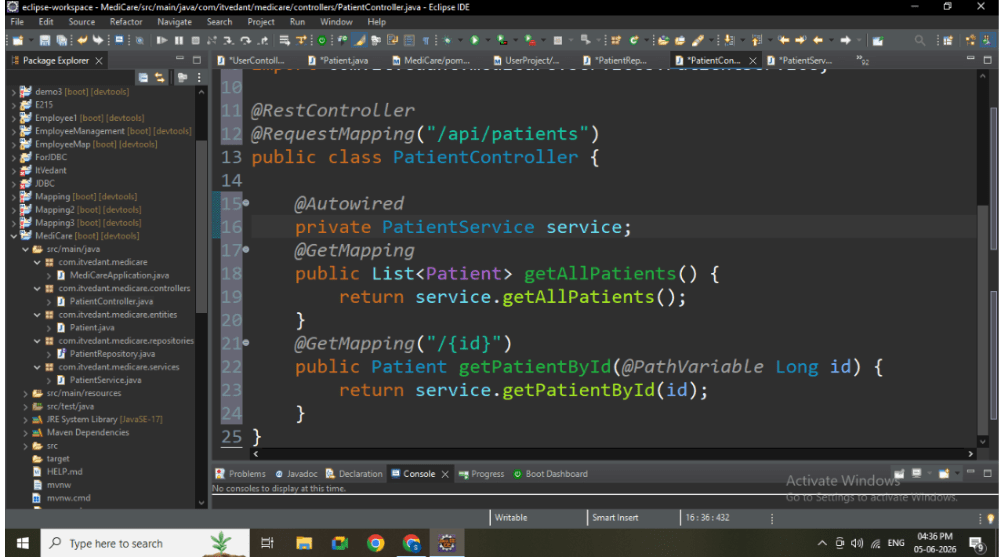
Task 5: Create Controller Layer
1
Inside controller package, create:PatientController.java
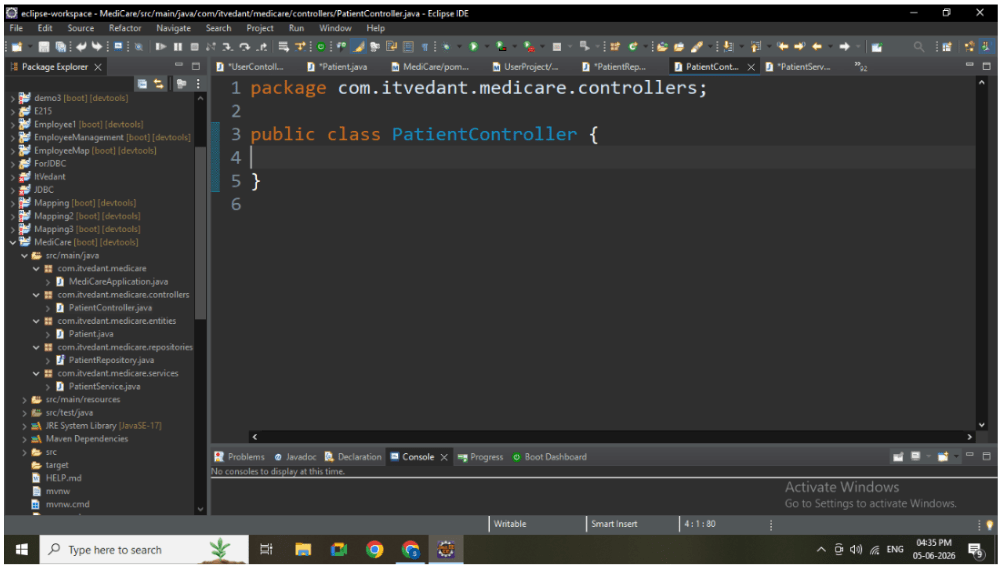
2
Add REST APIs:
-
GET All Patients
-
GET Patient by ID
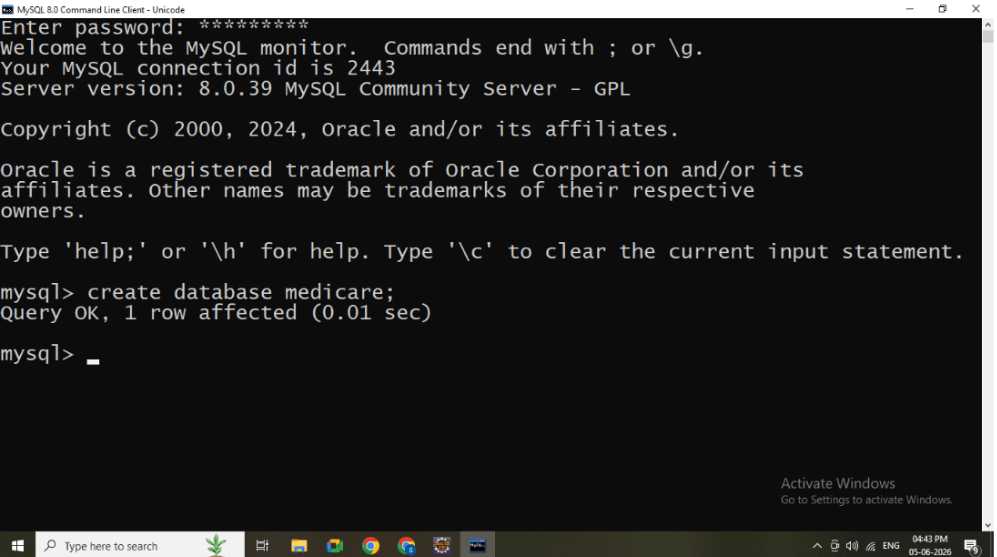
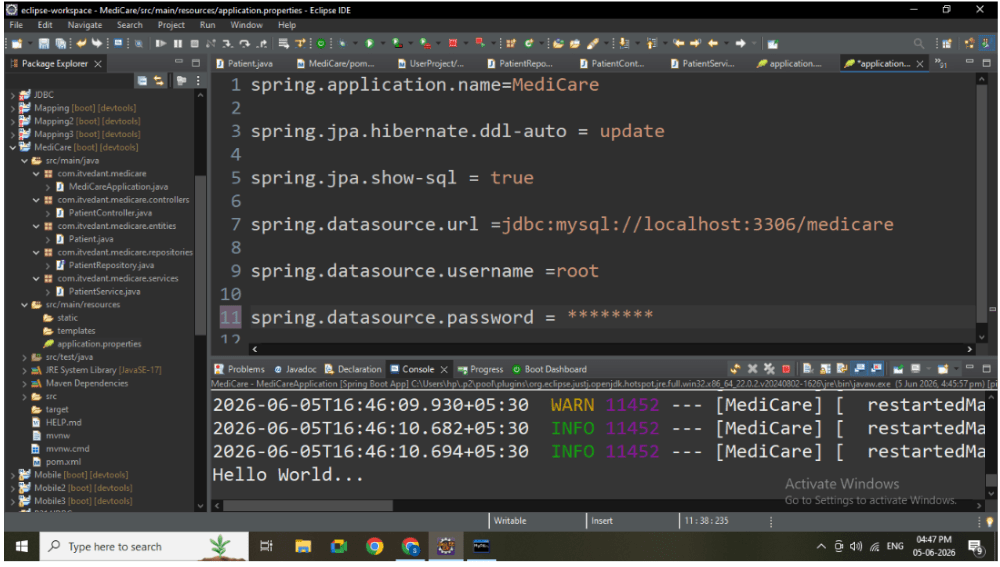
Task 6: Create Application.properties
Create database in mysql with name :
Now create Application.properties
Task 7: Understanding BRDRun Spring Boot Application
1
Open main class
2
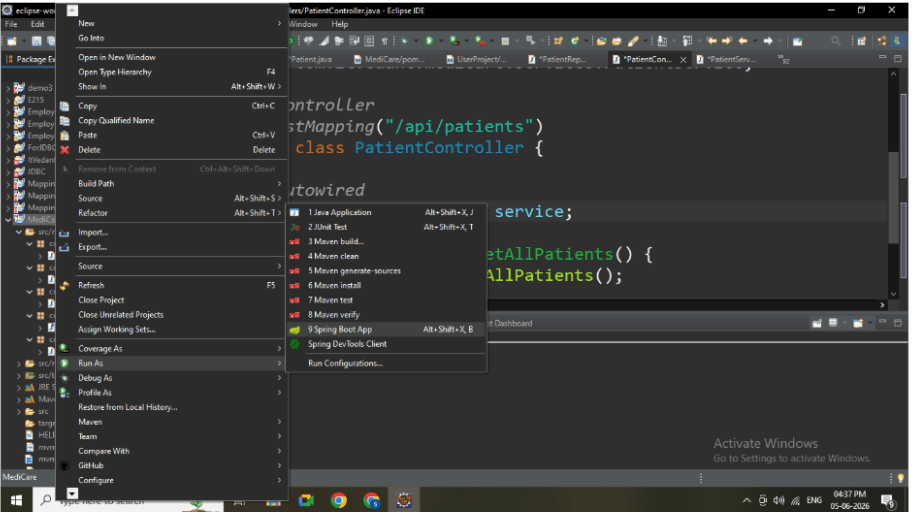
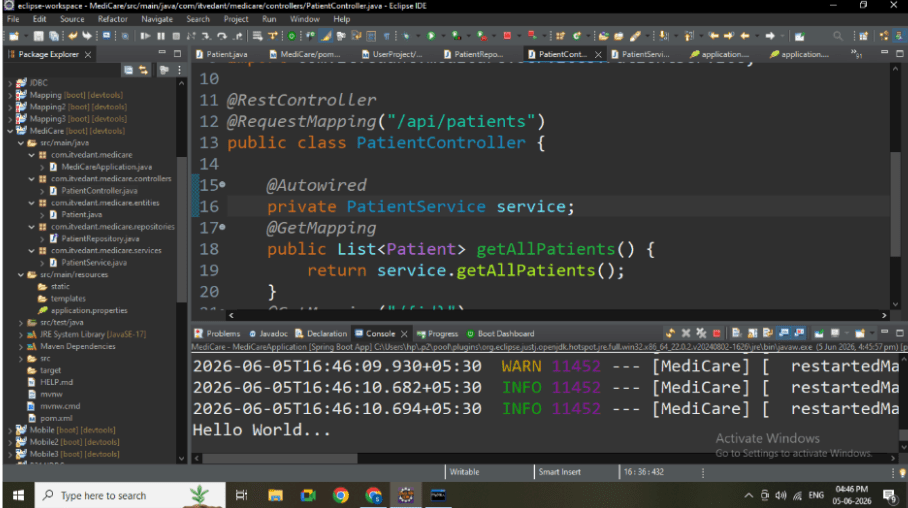
Right-click → Run As → Spring Boot App
3
Wait for message: Tomcat started on port 8080
Task 8: Test APIs in Browser
1
Open browser
2
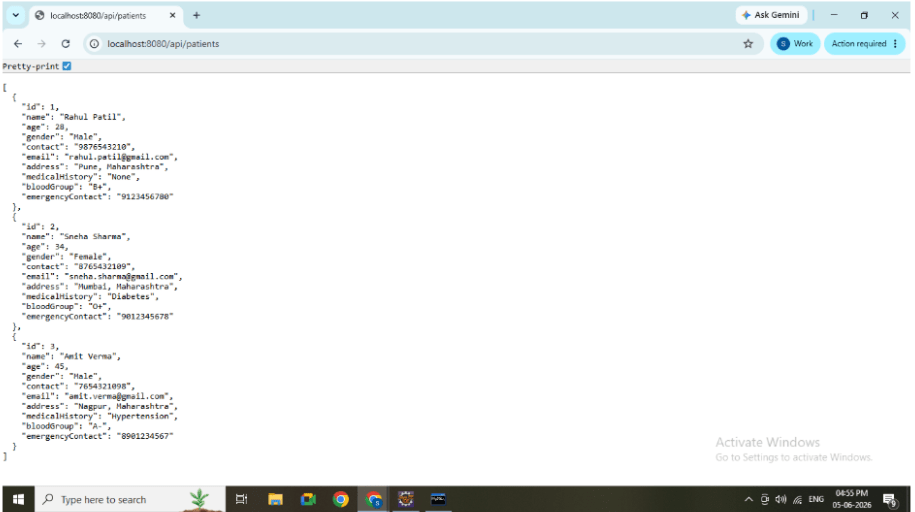
Test GET ALL: http://localhost:8080/api/patients
Great job!
-
Created package structure
-
Implemented Entity, Repository, Service, Controller
-
Built GET APIs
-
Successfully tested APIs in browser
Checkpoint