RMA
Mobile Application Concept
By
Steve Boyd of Sketchy User Experience
Sketchy User Experience
- When it comes to software, the user's experience is the number one priority
- Over 10 years of Software Development experience
- Believe in working with the client to achieve the best possible product
App Objectives
- Create a single location where parents can see a calendar of events.
- Increase parent participation by making it easy to view and sign up for volunteer opportunities.
- Create a way for parents to exchange messages between each other.
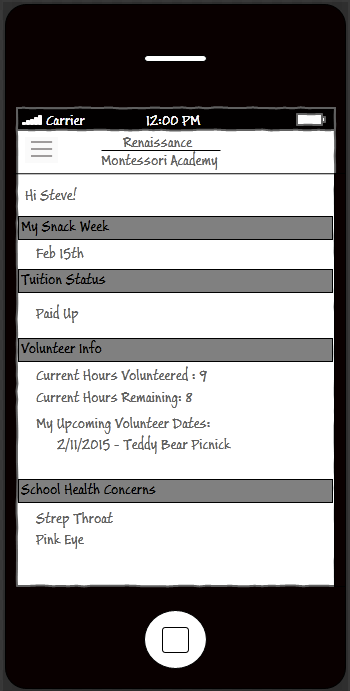
Home Screen
This screen could be used to display at a high level what's most important to parents.
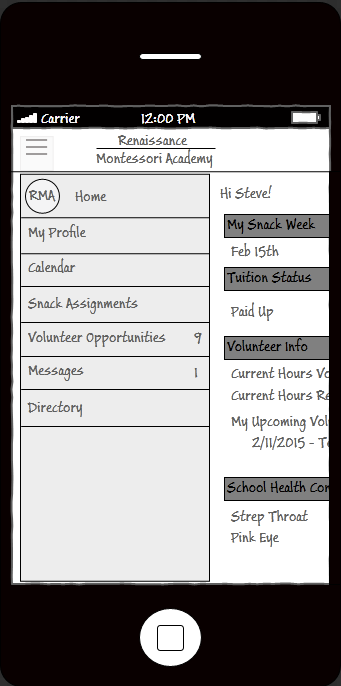
Menu
The menu will display all features parents will have access to. It can also display counts like the number of messages and number of volunteer opportunities.
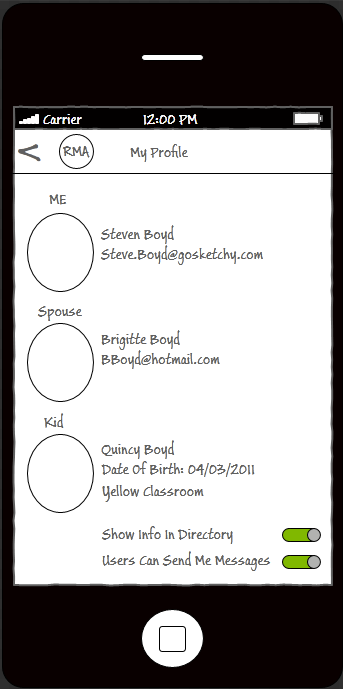
My Profile
This screen will allow a parent to view their information. The circle represents a profile photo. They can also toggle whether or not they want to receive in-app messages or have their info displayed in the directory.
Calendar
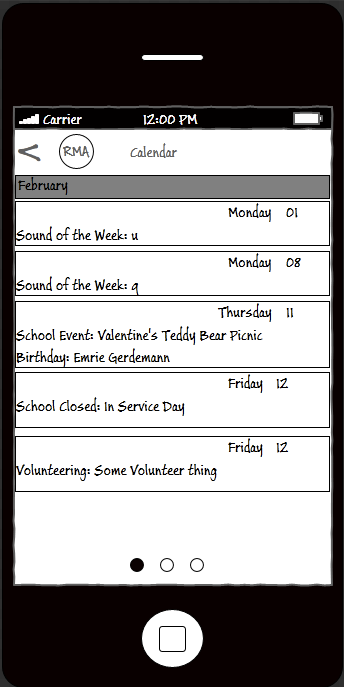
This screen will allow a parent to view birthdays, which are pulled in automatically, sound of the week, closures, dates they've signed up to volunteer for something, and school events. Parents can also swipe to see the next two months of dates.
Snack Assignments
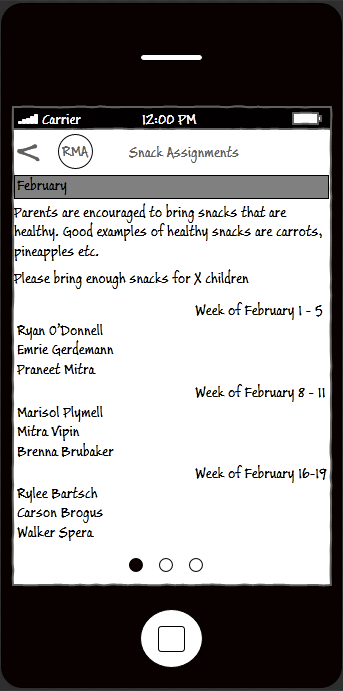
This screen can provide snack suggestions as well as display the assignments. Parents can also swipe to see the next two month's assignments.
Volunteer Opps
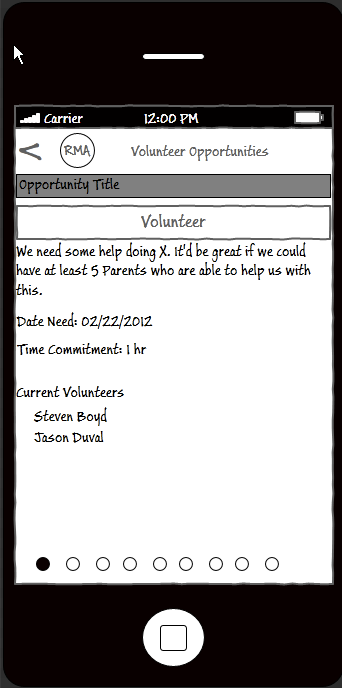
Here Parents can see what opportunities are available, sign up, and see who else has signed up as well.
Volunteer Opps
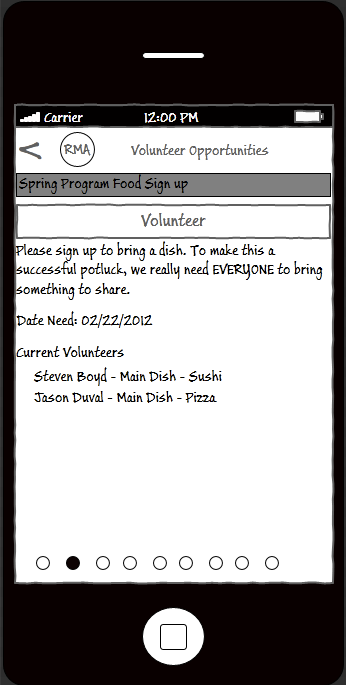
Here parents can sign up for things like potlucks.
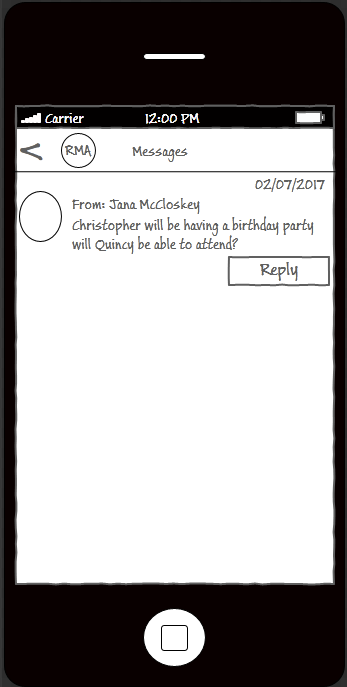
Messages
Here parents can receive and respond to in-app messages from other Parents and possibly staff.
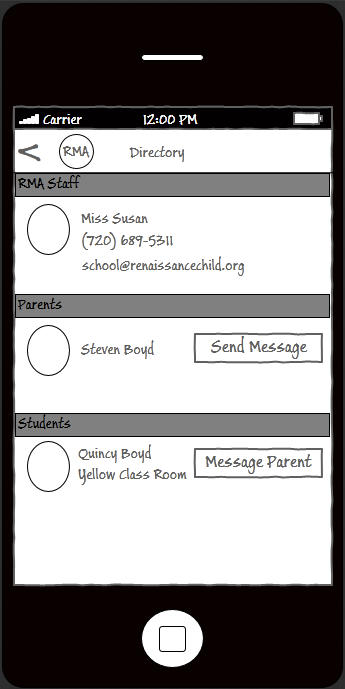
Directory
Here parents can quickly call or email RMA. They can also select Parents to send in-app messages to and put names to faces.
Questions?
RMA Mobile Appliction
By steveb